
|
Do it yourself
| |||
| ||||


How to Activate Automatic High Beam on a Volkswagen T-Roc via Obdeleven
Model: Volkswagen T Roc
MK 1
- Years 2017-2025
Let's see how to activate the automatic high beam using Obdeleven on a Volkswagen T-Roc: this way, you won't dazzle oncoming traffic on poorly lit roads as the vehicle will automatically know when to dip the headlights upon detecting another vehicle approaching. You need the app on your device: first, scan, then select "central electric/electronics", then select "security access" and enter your code. Select "adaptation". Look for "fernlicht assistent". Select "AFS FLA fenlicht ueber AFS". Activate it. It will ask for the code again. Go to module A5. Select "full coding". Click at the top right where it says 0/1. Go to byte 21 and activate number 5. Confirm. Operation completed.
Updated on 9 August 2026 by ScegliAuto
Video tutorial
Related tutorials
Volkswagen T Roc
(2017-2025 /
MK 1)
This guide outlines the instructions to unlock hidden functions using the OBDELEVEN tool on a Volkswagen T-Roc. First, get inside the vehicle and con…

Volkswagen T Roc
(2017-2025 /
MK 1)
This guide provides the main instructions on how to activate adaptive cruise control on the Volkswagen T-Roc in simple steps. First, get inside the c…
Volkswagen T Roc
(2017-2025 /
MK 1)
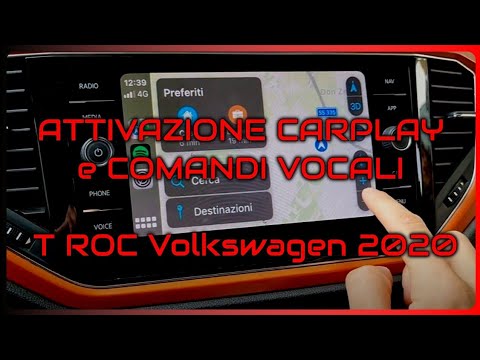
This guide briefly outlines the steps to activate the voice commands on the Volkswagen T-Roc, as well as the Tiguan. First, get in the vehicle and tu…
Other guides you may be interested in
|
How to Reset the Tyre Pressure Light on the Opel Grandland X
While driving, if you notice the tyre pressure warning light coming on, first check the actual inflation pressure of the tyres and, if necessary, restore the pressures recommended by the manufacturer. After restoring the correct pressures, you need to reset the warning light that has illuminated on the instrument cluster. To do this, locate the reset button on the lower central console. Press this button and hold it down for at least 3 seconds, after which the low pressure indication will turn off. by ScegliAuto More videos
|

|
For advertising on this site Write to info@scegliauto.com
ScegliAuto is not responsible for any inaccuracy of the data in the lists. To report any inaccuracy or your business (if you own the business in question), please write to info@scegliauto.com
Number of seconds to generate the page: 0.068
(c) ScegliAuto 2026 - info@scegliauto.com - Privacy policy VAT number: IT01247470535 |
