
|
Do it yourself
| |||
| ||||


How to Adapt the Remote Programming Key for a Volkswagen Transporter T5 Using VDCS?
Model: Volkswagen Transporter
T5, MK 5
- Years 2003-2014
Let's see how to adapt the remote programming key for the Volkswagen Transporter T5 using the VDCS system. Connect it via cable to the EOBD socket. Turn on the ignition and then click on "select" from the laptop. Unfortunately, the procedure is not straightforward, as in some cases you need to select channel 46 central, and in others channel 09 central; you may need to try different options to find the correct procedure for your key, hoping to get it right on the first attempt. Then click on remote adaptation, key count (for example) 02, and then click save. Now press the button on the remote. On the laptop, click done! You can go back, and your key is programmed.
Updated on 14 August 2026 by ScegliAuto
Video tutorial
Related tutorials
Volkswagen Transporter
(2014-2025 /
MK 6, T6)
In this guide, we will see how to deactivate the Start&Stop system of the Volkswagen Transporter, in simple and quick steps. First, we get on board t…
Volkswagen Transporter
(2014-2025 /
MK 6, T6)
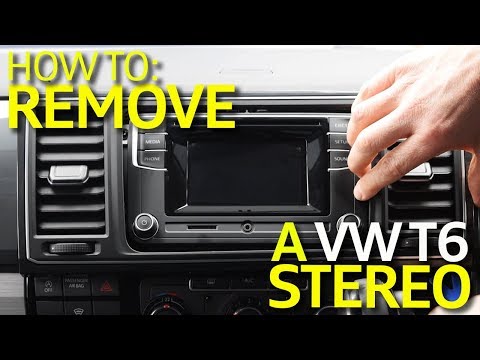
To remove the radio from the Volkswagen Transporter T6, simply follow the instructions in the video and those outlined here. 1) Ensure you have all t…

Volkswagen Transporter
(2003-2014 /
T5, MK 5)
In order to replace the key shell of the Volkswagen Transporter, you need to press the appropriate button to lift the key, levering it inside its hou…
Other guides you may be interested in
|
How to Replace the Cabin Filter on the Opel Grandland X
If you own an Opel Grandland X and want to know the steps to replace the cabin air filter, carefully read the following guide and follow the described steps. First, enter the vehicle and go to the passenger side. Then, locate the box containing the air filter in the lower side area of the dashboard. Remove the cover of the box and finally replace the old filter with the new one. Refit the cover, and you are done. by ScegliAuto More videos
|
|
For advertising on this site Write to info@scegliauto.com
ScegliAuto is not responsible for any inaccuracy of the data in the lists. To report any inaccuracy or your business (if you own the business in question), please write to info@scegliauto.com
Number of seconds to generate the page: 0.208
(c) ScegliAuto 2026 - info@scegliauto.com - Privacy policy VAT number: IT01247470535 |
