
|
Do it yourself
| |||
| ||||


How to Reset the AdBlue Warning Light on the Volkswagen Crafter?
Model: Volkswagen Crafter
MK 2, SZ, SY
- Years:
2017, 2018, 2019, 2020, 2021, 2022, 2023, 2024, 2025, 2026
Video tutorial
To reset the AdBlue warning light on the Volkswagen Crafter, you must first top up the necessary amount of additive liquid into the corresponding tank. Open the fuel flap located next to the driver's door. Once opened, locate the blue cap underneath, which must be unscrewed to insert the additive liquid. After topping up, close the cap and check that the warning light has disappeared.
Updated on 16 September 2026 by ScegliAuto
Related tutorials
Volkswagen Crafter
(2017-2026 /
MK 2, SZ, SY)
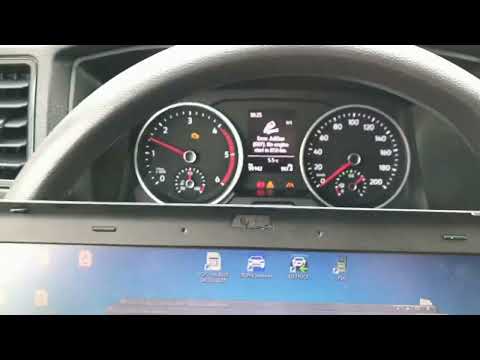
AdBlue is an anti-pollution additive used in vehicles with recently built diesel engines. This additive has its own tank and a reserve light, so when…
Volkswagen Crafter
(2017-2026 /
MK 2, SZ, SY)
Below are the instructions that will allow you to reset the AdBlue refill warning light on the Volkswagen Crafter. After refilling the AdBlue liquid,…
Volkswagen Crafter
(2006-2017 /
2F, MK 1, 2E)
AdBlue is used in many vehicles equipped with a Diesel engine, and its main function is to reduce pollution levels by decreasing harmful particles in…
Other guides you may be interested in
|
How to open the bonnet on a Volkswagen Golf?
In this tutorial, you will see how to open the bonnet on a Volkswagen Golf MK4. This is a very simple operation that follows the standard procedure. First, open the driver's door, then locate the lever in the lower left area and pull it. Next, move to the front of the vehicle, lift the bonnet slightly, and find the second lever located just above the Volkswagen logo. At this point, simply pull it towards you, fully open the bonnet, and secure it with the prop rod. To close it, gently push it down. by ScegliAuto More videos
|
|
For advertising on this site Write to info@scegliauto.com
ScegliAuto is not responsible for any inaccuracy of the data in the lists. To report any inaccuracy or your business (if you own the business in question), please write to info@scegliauto.com
Number of seconds to generate the page: 0.031
(c) ScegliAuto 2026 - info@scegliauto.com - Privacy policy VAT number: IT01247470535 |
