
|
Do it yourself
| |||
| ||||


How do you reset the AdBlue warning light on the Volkswagen Golf?
Model: Volkswagen Golf
Golf VII, MK 7, Golf 7
- Years 2012-2019
The AdBlue warning light that appears on the instrument panel of the Volkswagen Golf indicates that the level of additional fluid in the tank is almost completely depleted: it will be possible to reset the warning light by topping up with the necessary amount of fluid. To top up, you need to open the rear hatch and then remove the carpet on its left side: at this point, you will be able to locate the cap underneath, which must be unscrewed to insert the AdBlue. In this way, it will be possible to insert the necessary quantity to verify that the warning light turns off.
Posted on 13 April 2024 by ScegliAuto
Video tutorial
Related tutorials
Volkswagen Golf
(2008-2012 /
MK 6, Golf VI, Golf 6, 5K1)
Below we will outline the steps to reset the AdBlue refill warning on the Volkswagen Golf 2.0 TDI. Before performing the reset, it is essential to ha…
Volkswagen Golf
(2012-2019 /
Golf VII, MK 7, Golf 7)
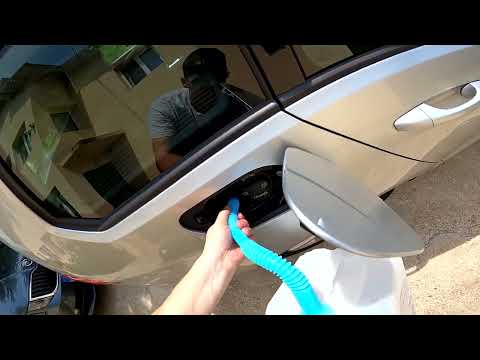
This guide shows how to top up AdBlue and reset the warning that appears on the instrument panel of the Volkswagen Golf 1.6 TDI. First, open the fuel…

Volkswagen Golf
(2019-2026 /
Golf 8, MK 8, Golf Viii)
Briefly, here are the instructions to check the AdBlue level on the Volkswagen Golf in simple steps. First, get into the vehicle and turn on the inst…
Other guides you may be interested in
|
How to Reset the Tyre Pressure Light on the Opel Grandland X
While driving, if you notice the tyre pressure warning light coming on, first check the actual inflation pressure of the tyres and, if necessary, restore the pressures recommended by the manufacturer. After restoring the correct pressures, you need to reset the warning light that has illuminated on the instrument cluster. To do this, locate the reset button on the lower central console. Press this button and hold it down for at least 3 seconds, after which the low pressure indication will turn off. by ScegliAuto More videos
|

|
For advertising on this site Write to info@scegliauto.com
ScegliAuto is not responsible for any inaccuracy of the data in the lists. To report any inaccuracy or your business (if you own the business in question), please write to info@scegliauto.com
Number of seconds to generate the page: 0.160
(c) ScegliAuto 2026 - info@scegliauto.com - Privacy policy VAT number: IT01247470535 |
