
|
Do it yourself
| |||
| ||||


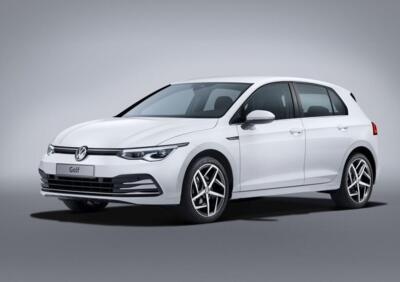
How to reset the service indicator of the 2021 Volkswagen Golf
Model: Volkswagen Golf
Golf 8, MK 8, Golf Viii
- Years 2019-2026
The procedure to follow if you want to manually reset the service light on the instrument panel of your 2021 Volkswagen Golf is very simple, and thanks to the following guide, you can complete it without any difficulty. First, you need to insert the key and turn on the ignition, then press the right directional button. Once the menu appears, hold down the same button for about six seconds until the "Reset inspection" option appears. At this point, select this option to complete the reset of the service light.
Posted on 17 April 2024 by ScegliAuto
Video tutorial
Related tutorials
Volkswagen Golf
(2019-2026 /
Golf 8, MK 8, Golf Viii)
These short and simple instructions will show us how to reset the service indicator light for regular maintenance of the engine oil change for the Vo…

Volkswagen Golf
(2012-2019 /
Golf VII, MK 7, Golf 7)
Today's instructions will allow us to reset the maintenance indicator (service) of the Volkswagen Golf. First, we get into the car and start pressing…

Volkswagen Golf
(2008-2012 /
MK 6, Golf VI, Golf 6, 5K1)
If you want to manually reset the service indicator light on the small display of the instrument panel of your Volkswagen Golf 6, just pay attention …
Other guides you may be interested in
|
How to Reset the Tyre Pressure Light on the Opel Grandland X
While driving, if you notice the tyre pressure warning light coming on, first check the actual inflation pressure of the tyres and, if necessary, restore the pressures recommended by the manufacturer. After restoring the correct pressures, you need to reset the warning light that has illuminated on the instrument cluster. To do this, locate the reset button on the lower central console. Press this button and hold it down for at least 3 seconds, after which the low pressure indication will turn off. by ScegliAuto More videos
|
|
For advertising on this site Write to info@scegliauto.com
ScegliAuto is not responsible for any inaccuracy of the data in the lists. To report any inaccuracy or your business (if you own the business in question), please write to info@scegliauto.com
Number of seconds to generate the page: 0.290
(c) ScegliAuto 2026 - info@scegliauto.com - Privacy policy VAT number: IT01247470535 |
