
|
Do it yourself
| |||
| ||||


Resetting the On-Board Computer for Next Service Indicator
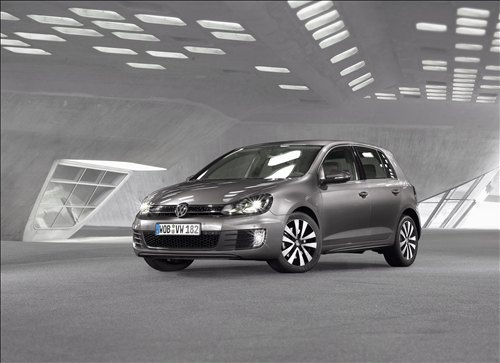
Model: Volkswagen Golf
MK 6, Golf VI, Golf 6, 5K1
- Years 2008-2012
To reset the distance indicator on the on-board computer for the next maintenance service, perform the following steps. Turn the ignition key to the off position. Locate the button on the right side of the instrument panel marked "00/SET"; press and hold it while turning the ignition key to switch on the instrument panel. At this point, release the SET button and press the button on the left of the rev counter once. Turn off the ignition, wait a few seconds, and turn it back on to verify the reset.
Updated on 2 February 2026 by ScegliAuto
Video tutorial
Related tutorials
Volkswagen Golf
(2008-2012 /
MK 6, Golf VI, Golf 6, 5K1)
In a few simple steps, they will show us how to change the language on the on-board computer of the Volkswagen Golf. First, we get on board the car a…

Volkswagen Golf
(2008-2012 /
MK 6, Golf VI, Golf 6, 5K1)
To access the on-board computer settings on the Volkswagen Golf 6, insert the ignition key to turn on the instrument cluster. Once powered on, press …

Volkswagen Golf
(2012-2019 /
Golf VII, MK 7, Golf 7)
In order to change user on the on-board computer of the Volkswagen Golf, you need to turn on the instrument panel, so that you can navigate through t…
Other guides you may be interested in
|
Frequently Asked QuestionsWhere is the Spare Wheel in the Peugeot 5008?
This video shows where the spare wheel is located in the Peugeot 5008 and how to access it, useful in case of a puncture. As shown, the wheel is not in the usual boot compartment but underneath it, outside the vehicle. To free the wheel, first gather the tools provided, then open the boot, locate the small indicated hatch, and open it. Next, loosen the bolt just released using the large socket wrench enough to lower the wheel to the ground. by ScegliAuto More videos
|
|
For advertising on this site Write to info@scegliauto.com
ScegliAuto is not responsible for any inaccuracy of the data in the lists. To report any inaccuracy or your business (if you own the business in question), please write to info@scegliauto.com
Number of seconds to generate the page: 0.167
(c) ScegliAuto 2026 - info@scegliauto.com - Privacy policy VAT number: IT01247470535 |
