
|
Do it yourself
| |||
| ||||


How to Reset the Battery Warning Light on a Volvo S60 MK2
Model: Volvo S60
MK 2
- Years 2010-2018
In this video tutorial, you will see the necessary procedure to reset the battery warning light on the Volvo S60. You can use these steps to reset the light on most vehicles as well. First, open the hood of your car and remove the battery cover by disengaging all the plastic clips on the sides. Then, disconnect the electrical connector located near the negative terminal, as shown in the video. Wait a few seconds before reconnecting the connector!
Updated on 24 April 2026 by ScegliAuto
Video tutorial
Related tutorials
Volvo S60
(2010-2018 /
MK 2)
To make the "Low battery charge" message on the Volvo S60 instrument panel disappear, it will be necessary to open the hood to access the components …

Volvo S60
(2010-2018 /
MK 2)
Following these brief steps, we will see how to reset the tire pressure warning light on the Volvo S60; before resetting the TPMS sensors, it is nece…
Volvo S60
(2010-2018 /
MK 2)
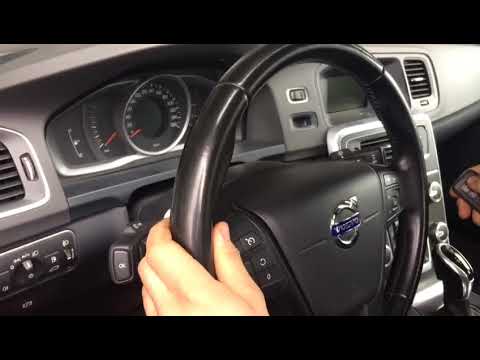
This brief video tutorial will show you how to quickly and practically reset the service light on a 2014 Volvo S60. The first step is to turn on the …
Other guides you may be interested in
|
How to reset the tyre pressure warning light on a Hyundai Tucson
Below are the instructions to reset the tyre pressure warning light (TPMS) on a Hyundai Tucson. First, get into the vehicle and turn on the instrument cluster; then navigate to the vehicle settings until you reach the tyre pressure monitor, identifying the tyre with incorrect pressure. At this point, restore all tyre pressures according to the specifications indicated on the label; this will reset the TPMS and the warning light will be cleared from the instrument cluster! by ScegliAuto More videos
|
For advertising on this site Write to info@scegliauto.com
ScegliAuto is not responsible for any inaccuracy of the data in the lists. To report any inaccuracy or your business (if you own the business in question), please write to info@scegliauto.com
Number of seconds to generate the page: 0.117
(c) ScegliAuto 2026 - info@scegliauto.com - Privacy policy VAT number: IT01247470535 |
