
|
Do it yourself
| |||
| ||||


|
Video tutorial
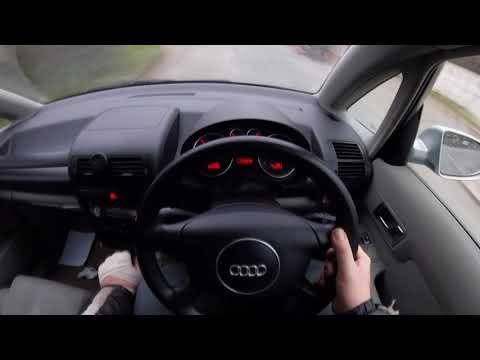
Let's see how to remove the ignition cylinder from the dashboard of an Audi A2: insert the key into the ignition lock and turn it to "ON" to power the dashboard without starting the engine. Carefully examine the black plastic trim surrounding the cylinder: in one corner, you will find a small hole. In this hole, we can insert a straightened paperclip or a large pin: press firmly, and you will feel a slight resistance from a spring followed by a "click." While holding the pin in the hole, pull the cylinder towards you. If it doesn't come out, slightly move the key back and forth; this helps disengage the locking lever. The cylinder will then come out with the key still inserted.
Posted on 6 January 2026 by ScegliAuto
Related tutorials
Audi A2
(1999-2005 /
MK 1)
In today's video, you will see the steps to remove and replace the headlight bulb on an Audi A2. First, open the bonnet of your car and start by unsc…
Audi A2
(1999-2005 /
MK 1)
Before starting, remove the front bonnet of your Audi A2. Begin by unscrewing and removing the screws that secure the front headlight to the frame. N…

Audi A2
(1999-2005 /
MK 1)
In today's video, we will see the instructions to remove and replace the indicator relay on an Audi A2 in simple steps. First, get inside the vehicle…
Other guides you may be interested in
|
How to Reset the Tyre Pressure Warning Light on the Jeep Renegade?
To reset the tyre pressure warning light on the Jeep Renegade, inflate the tyres until they reach the recommended pressure: this value is indicated on the sticker attached to the driver’s door pillar. Once the tyres are properly inflated, navigate through the menu that appears on the instrument cluster until you find the tyre pressure option. At this point, press and hold the OK button on the right side of the steering wheel to make the warning light disappear. by ScegliAuto More videos
|
|
For advertising on this site Write to info@scegliauto.com
ScegliAuto is not responsible for any inaccuracy of the data in the lists. To report any inaccuracy or your business (if you own the business in question), please write to info@scegliauto.com
Number of seconds to generate the page: 0.081
(c) ScegliAuto 2026 - info@scegliauto.com - Privacy policy VAT number: IT01247470535 |
