
|
Do it yourself
| |||
| ||||


Guide to Using the Telepass Device
Model: Audi Audi Various
In this brief guide, we will look at some information regarding the use of the Telepass device dedicated to highway tolls and, in some cases, parking services. It is indeed very convenient, especially for highway tolls, as it allows you to avoid long queues. The installation is usually done using a sticker that will be placed at the top of the windshield, where the Telepass device will then be fixed. In this case, you need to drive at a moderate speed when passing through the toll booth, so that the presence of your Telepass can be detected.
Posted on 9 January 2026 by ScegliAuto
Video tutorial
Related tutorials
Audi Audi Various
The options for enabling assistance and steering control systems in Audi cars are numerous and can all be activated or deactivated, such as lane assi…
Audi Audi Various
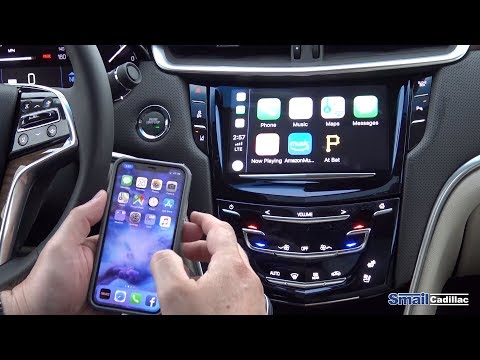
To use your iPhone with the car's audio system, go to "Settings" on your phone and enable the search for new devices in the "Bluetooth" menu. When it…

Audi Audi Various
The following video tutorial will explain how to remove the external rearview mirrors of the Audi A3, A4, and A5. The steps to remove the mirror are:…
Other guides you may be interested in
|
How to Check the Oil Level on a Jeep Renegade?
To check the oil level on a Jeep Renegade, you need to open the bonnet to access the components inside the engine bay: on the lower left side of the engine block, you will find the dipstick for checking the level. This should be pulled out and thoroughly cleaned with a cloth: once cleaned, reinsert it back into its tube and pull it out immediately after. This way, you can check that the oil mark is between the minimum and maximum levels; finally, you can place the dipstick back in its tube. by ScegliAuto More videos
|
|
For advertising on this site Write to info@scegliauto.com
ScegliAuto is not responsible for any inaccuracy of the data in the lists. To report any inaccuracy or your business (if you own the business in question), please write to info@scegliauto.com
Number of seconds to generate the page: 1.099
(c) ScegliAuto 2026 - info@scegliauto.com - Privacy policy VAT number: IT01247470535 |
