
|
Do it yourself
| |||
| ||||


AIRBAG Warning Light Troubleshooting Instructions
Model: Audi A4
B6
- Years:
2000, 2001, 2002, 2003, 2004
Video tutorial
If the AIRBAG warning light remains on the instrument cluster display, perform a diagnostic check to identify the correct fault code and evaluate the necessary intervention: the diagnosis refers to the driver seat detonator, indicating that the upper limit of the signal has been exceeded; experience suggests this anomaly is due to a loose connection of the connector located directly under the seat, and the solution involves removing the connector and making a direct connection of the wires; proceed by removing the seat, first taking off the plastic covers at the ends of the tracks, then unscrewing the mounting pins; once the seat is removed, disconnect the yellow connector and connect the wires directly.
Updated on 16 February 2026 by ScegliAuto
Related tutorials
Audi A4
(2000-2004 /
B6)
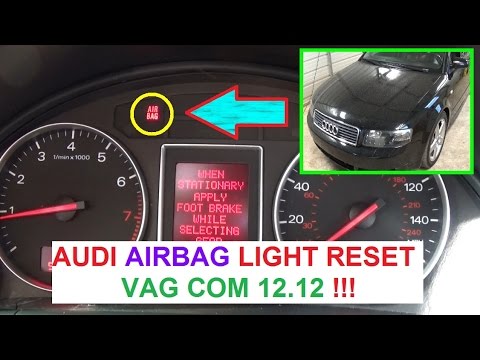
This video shows how to turn off the airbag light. First, connect the scan tool to the vehicle, which informs us of any errors in the control module.…
Audi A4
(2000-2004 /
B6)
If the airbag malfunction light remains on in the instrument cluster, perform a code reading with a diagnostic tool to investigate the nature of the …

Audi A4
(2007-2016 /
B8)
If you need to place a child seat in the passenger seat, you must disable the airbag to prevent serious injury in the event of a collision. To disabl…
Other guides you may be interested in
|
Frequently Asked QuestionsHow to Reset the AdBlue Warning Light on a Peugeot Boxer
To reset the AdBlue system on a 2018 Peugeot Boxer, follow these steps: Start the engine and ensure the vehicle is parked in a well-ventilated area. Locate the "MENU" button on the dashboard or steering wheel controls. Press and hold the "MENU" button until the menu options appear on the display. Use the arrow buttons or scroll wheel to access the "Vehicle Settings" or "Settings" menu. Select the "AdBlue" or "AdBlue System" option. Look for the "Recharge" or "Reset" option in the AdBlue menu. Once you find the reset option, select it and confirm your choice when prompted. The system will be reset, and a confirmation message may appear on the display. Turn off the engine and wait a few seconds. Restart the engine and check that the AdBlue system has been reset. by ScegliAuto More videos
|
|
For advertising on this site Write to info@scegliauto.com
ScegliAuto is not responsible for any inaccuracy of the data in the lists. To report any inaccuracy or your business (if you own the business in question), please write to info@scegliauto.com
Number of seconds to generate the page: 0.038
(c) ScegliAuto 2026 - info@scegliauto.com - Privacy policy VAT number: IT01247470535 |
