
|
Do it yourself
| |||
| ||||


How do you reset the Service light on the BMW S1000 XR?
Model: Bmw S1000 Xr
Video tutorial
It will be possible to reset the Service light of the BMW S1000 XR by connecting a diagnostic tool to the OBD port of the vehicle: this port will be located immediately below the seat. Once this has been removed, it will be possible to connect the scanner and select the model of the motorcycle in question. After the connection, it will be possible to follow the instructions shown on the screen: in this way, it will be possible to completely eliminate the light from the dashboard by disconnecting the scanner. The operation can be concluded by turning off the instrument panel.
Posted on 10 June 2025 by ScegliAuto
Related tutorials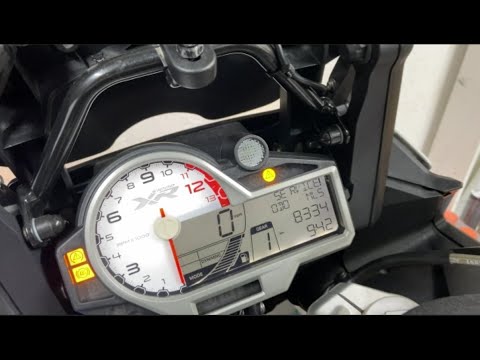
S1000 Xr
To reset the Service light on the BMW S1000 XR, connect a diagnostic tool to the vehicle's OBD port: this port is located underneath the seat of the …

S1000 Xr
To reset the service light on a BMW S1000 XR, remove the seat by unscrewing the bolts and completely detaching it from its housing. Once the seat is …
S1000 Xr
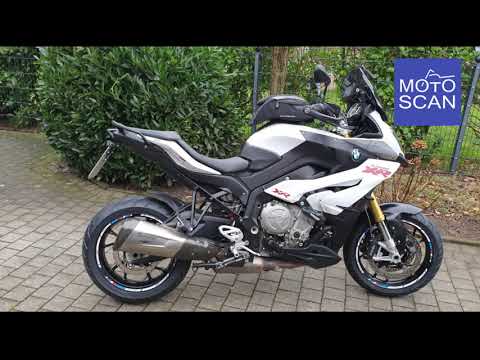
To reset the service light on the BMW S1000 XR, lift the seat by unscrewing its bolts and completely removing it from its housing. Once the seat is d…
|
How to Set the Clock on the Sym Jet14 125?
To adjust the clock on the Sym Jet14 125, turn on the instrument panel by inserting the ignition key into the corresponding slot. Once the panel is on, press and hold the M button located underneath until one of the numbers on the clock starts flashing. At this point, repeatedly press the S button, also located beneath the panel, to change that number. After making the change, press the M button to move on to the next numbers, finishing by turning off the panel. by ScegliAuto More videos
|
|
For advertising on this site Write to info@scegliauto.com
ScegliAuto is not responsible for any inaccuracy of the data in the lists. To report any inaccuracy or your business (if you own the business in question), please write to info@scegliauto.com
Number of seconds to generate the page: 0.005
(c) ScegliAuto 2026 - info@scegliauto.com - Privacy policy VAT number: IT01247470535 |
