
|
Do it yourself
| |||
| ||||


Bmw S1000 Xr - Video guides Bmw S1000 Xr How to Replace the Remote Battery on a BMW S 1000 XR? In this tutorial, you will learn how to replace the remote battery on a BMW S 1000 XR, a very simple and quick operation. You will only need a small flat-head …Read all… Posted on 18 June 2026 by ScegliAuto  Bmw S1000 Xr How to replace the front brake pads of the BMW S1000 XR. Today we will go through the steps that will show us how to disassemble and replace the front brake pads on the BMW S1000 XR motorcycle. First, we place the …Read all… Posted on 1 December 2025 by ScegliAuto  Bmw S1000 Xr How do you reset the Service light on the BMW S1000 XR? It will be possible to reset the Service light of the BMW S1000 XR by connecting a diagnostic tool to the OBD port of the vehicle: this port will be located …Read all… Posted on 10 June 2025 by ScegliAuto  Bmw S1000 Xr How do you reset the Service light on the BMW S1000XR? It will be possible to reset the Service light of the BMW S1000XR by connecting a diagnostic tool to the OBD port of the vehicle: this can be found on the …Read all… Posted on 23 May 2025 by ScegliAuto  Bmw S1000 Xr How to Change the Time on the BMW S1000 XR Display Today, we will discover the instructions that will allow you to enter the settings menu and change the time on the BMW S1000 XR display. First, turn on the …Read all… Posted on 19 November 2026 by ScegliAuto  Bmw S1000 Xr How to Lubricate the Chain of the BMW S1000 XR Today's instructions will show you how to lubricate the drive chain of the BMW S1000 XR in simple steps. First, place the motorcycle on the centre stand and …Read all… Posted on 29 October 2026 by ScegliAuto  Bmw S1000 Xr How to Reset the Service Light on a BMW S1000 XR In this tutorial, you will see how to reset the service light on a BMW S1000 XR, a very simple and quick operation. Before proceeding, ensure that you have …Read all… Posted on 13 September 2026 by ScegliAuto 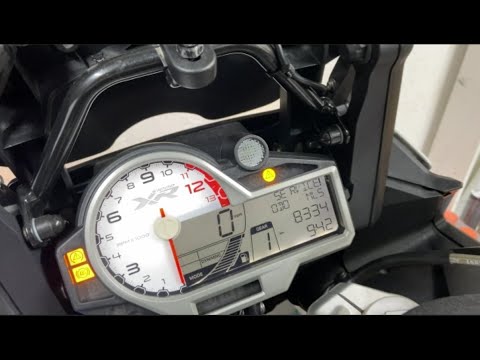 Bmw S1000 Xr How to Reset the Service Light on the BMW S1000 XR To reset the Service light on the BMW S1000 XR, connect a diagnostic tool to the vehicle's OBD port: this port is located underneath the seat of the …Read all… Posted on 11 September 2026 by ScegliAuto 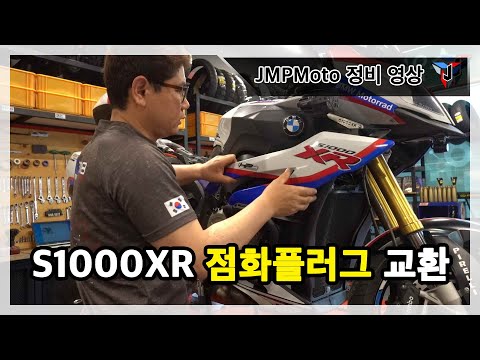 Bmw S1000 Xr How to Replace the Spark Plugs on the BMW S1000 XR Today, we will go through the main instructions for removing and replacing the spark plugs on the BMW S1000 XR engine. First, place the bike on its centre …Read all… Posted on 3 September 2026 by ScegliAuto  Bmw S1000 Xr How to Reset the Service Light on a BMW S1000 XR? To reset the service light on a BMW S1000 XR, remove the seat by unscrewing the bolts and completely detaching it from its housing. Once the seat is removed, …Read all… Posted on 13 November 2026 by ScegliAuto 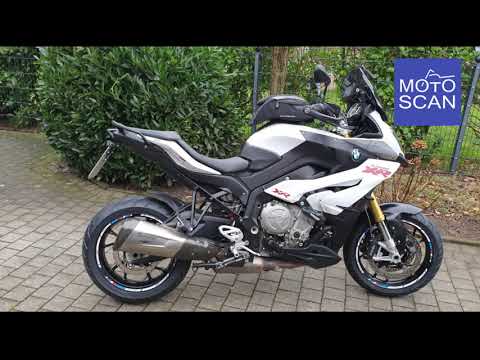 Bmw S1000 Xr How to Reset the Service Light on a BMW S1000 XR To reset the service light on the BMW S1000 XR, lift the seat by unscrewing its bolts and completely removing it from its housing. Once the seat is detached, …Read all… Posted on 18 October 2026 by ScegliAuto  Bmw S1000 Xr Removing the Rear Wheel of the BMW S1000 XR This guide shows how to remove and replace the rear wheel or tyre of the BMW S1000 XR motorcycle. First, place the bike on the centre stand and begin loosening …Read all… Posted on 3 August 2026 by ScegliAuto  Bmw S1000 Xr How to Replace the Air Filter on a BMW S1000XR In this guide, discover how to remove and replace the engine air filter on a BMW S1000XR by following the instructions below. First, place the bike on its …Read all… Posted on 17 July 2026 by ScegliAuto |
How to Open the Bonnet of the Peugeot 206
Today's guide will show you the procedure necessary to open the bonnet of the Peugeot 206 in simple and quick steps. First, open the driver's front door and start pulling the small lever that releases the bonnet lock (located at the bottom); then move to the front of your car and lift the tab found in the centre of the bonnet (near the manufacturer's badge), as shown in the video. At this point, secure the prop rod on the bonnet to hold it up, ensuring it is perfectly inserted! by ScegliAuto More videos
|
|
For advertising on this site Write to info@scegliauto.com
ScegliAuto is not responsible for any inaccuracy of the data in the lists. To report any inaccuracy or your business (if you own the business in question), please write to info@scegliauto.com
Number of seconds to generate the page: 0.006
(c) ScegliAuto 2026 - info@scegliauto.com - Privacy policy - About us VAT number: IT01247470535 |
