
|
Do it yourself
| |||
| ||||


Door Panel Replacement on BMW 7 Series
Model: BMW Serie 7
E38, MK 3
- Years:
1994, 1995, 1996, 1997, 1998, 1999, 2000, 2001
Video tutorial
Remove the small screw cover near the door handle and unscrew the exposed T20 Torx screw. At the bottom of the door, there is a bulb: remove the cover by prying it with a small flathead screwdriver or a plastic wedge, then extract the housing in the same way and disconnect the connector. At this point, you can start prying around the entire area, being careful with the chrome parts (it's better if the wedge is plastic). Patiently perform this operation, releasing the panel bit by bit, then disconnect the connectors and the lock cable.
Updated on 5 April 2026 by ScegliAuto
Related tutorials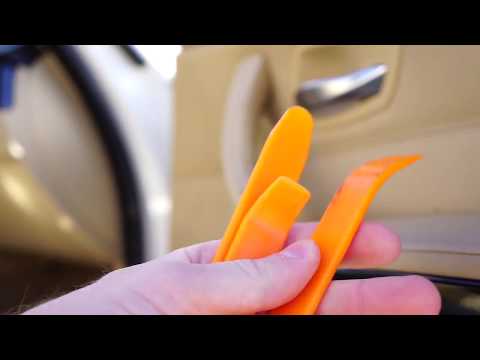
BMW Serie 7
(2001-2008 /
E68, MK 4, E65, E67, E66)
How to remove and replace the door handle on a BMW 7 Series? Use a pry tool to remove the plastic covers under the handle, then use a screwdriver to …

BMW Serie 7
(1994-2001 /
E38, MK 3)
Today's information will show you how to disassemble and replace the outside rearview mirror of the BMW 7 Series in simple steps. First, open the fro…

BMW Serie 7
(2022-2026 /
G70)
In this tutorial, you will see how to remove the rear door handle on a BMW 7 Series, a very simple and quick operation. First, open the door you will…
Other guides you may be interested in |
How to lower the rear seats in the Peugeot 206?
In this tutorial, you will see how to lower the rear seats in the Peugeot 206, a very simple and quick operation, for example, if you need more space in the boot. First, open both the doors and the tailgate, then unclip the seat base and position it vertically. Next, remove the horizontal partition, locate the release levers at the ends of both seatbacks, and, by operating them, lower the seatbacks. To reassemble everything, simply follow the reverse procedure. by ScegliAuto More videos
|
|
For advertising on this site Write to info@scegliauto.com
ScegliAuto is not responsible for any inaccuracy of the data in the lists. To report any inaccuracy or your business (if you own the business in question), please write to info@scegliauto.com
Number of seconds to generate the page: 0.048
(c) ScegliAuto 2026 - info@scegliauto.com - Privacy policy VAT number: IT01247470535 |
