
|
Do it yourself
| |||
| ||||



Replacing the Automatic Shift Knob on BMW X1 E84
Model: BMW X1
E84
- Years:
2009, 2010, 2011, 2012, 2013, 2014, 2015
Video tutorial
If you think it's time to replace the automatic shift knob on your BMW X1 E84, this video provides all the instructions in a few simple steps that will allow you to perform the operation independently. First, place the transmission in neutral and remove the old knob by pulling it firmly upwards, then detach the fabric boot by unclipping it from the edges. Make sure to correctly disconnect the two electrical connections from the boot. Some aftermarket shift knobs, like the one in the video, have the connections directly on the knob instead of the boot, so ensure you reconnect the wires correctly (following the colors) to the new terminals. After that, perform the assembly in reverse, securing the boot first and inserting the shift rod into the designated housing.
Updated on 5 August 2026 by ScegliAuto
Related tutorials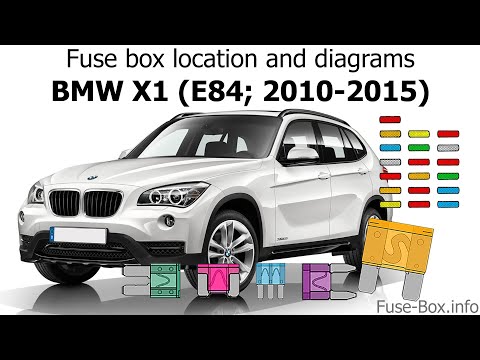
BMW X1
(2009-2015 /
E84)
In this new mini guide for your BMW X1 E84 (model years 2009-2015), find out where all the various fuses of the vehicle are located. Once found, you …

BMW X1
(2009-2015 /
E84)
In today's tutorial video, you will learn how to remove and replace the headlight bulb on the BMW X1 E84, first generation, by following these simple…

BMW X1
(2009-2015 /
E84)
If you're looking for the fuse box in your BMW X1 E84 but haven't found it yet, this guide is all you need. Let's find out where it's located. First,…
Other guides you may be interested in
|
How to Reset the AdBlue Warning Light on a Peugeot Boxer
To reset the AdBlue system on a 2018 Peugeot Boxer, follow these steps: Start the engine and ensure the vehicle is parked in a well-ventilated area. Locate the "MENU" button on the dashboard or steering wheel controls. Press and hold the "MENU" button until the menu options appear on the display. Use the arrow buttons or scroll wheel to access the "Vehicle Settings" or "Settings" menu. Select the "AdBlue" or "AdBlue System" option. Look for the "Recharge" or "Reset" option in the AdBlue menu. Once you find the reset option, select it and confirm your choice when prompted. The system will be reset, and a confirmation message may appear on the display. Turn off the engine and wait a few seconds. Restart the engine and check that the AdBlue system has been reset. by ScegliAuto More videos
|
|
For advertising on this site Write to info@scegliauto.com
ScegliAuto is not responsible for any inaccuracy of the data in the lists. To report any inaccuracy or your business (if you own the business in question), please write to info@scegliauto.com
Number of seconds to generate the page: 0.028
(c) ScegliAuto 2026 - info@scegliauto.com - Privacy policy VAT number: IT01247470535 |
