
|
Do it yourself
| |||
| ||||


Battery Replacement Memory
Model: BMW Serie 7
E68, MK 4, E65, E67, E66
- Years:
2001, 2002, 2003, 2004, 2005, 2006, 2007, 2008
Video tutorial
On this car model, you can store the battery replacement as a maintenance record, keeping track of the date, mileage, and type of battery installed. Therefore, perform this operation with appropriate diagnostic equipment and proceed only after installing the new battery (it is crucial that the battery is fully functional during the diagnostic phase). Connect the diagnostic tool's interface to the OBD port, select the vehicle model, and then follow the programming steps indicated by the diagnostic tool, paying attention to correctly specify the type of battery installed from the options provided.
Updated on 19 February 2026 by ScegliAuto
Related tutorials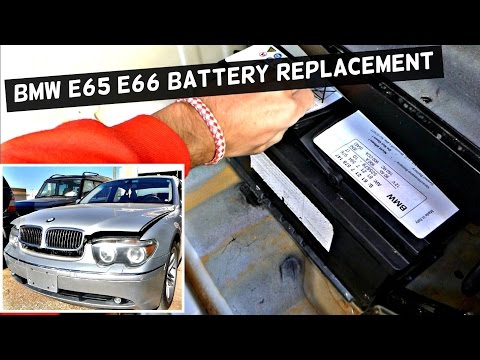
BMW Serie 7
(2001-2008 /
E68, MK 4, E65, E67, E66)
If the battery is so drained that it prevents the engine from starting but you can still turn on the ignition, the programming memories for the clock…

BMW Serie 7
(2001-2008 /
E68, MK 4, E65, E67, E66)
It is evident that when disconnecting the battery, you will need to enter the various unlock codes for the radio and subsequently reprogram the onboa…

BMW Serie 7
(2022-2026 /
G70)
To quickly and safely replace the small button battery in your BMW 7 Series G70 key, follow the steps outlined in this guide. First, you need a new C…
Other guides you may be interested in |
How to Open the Fuel Filler Flap in the Hyundai i30?
In this tutorial, you will learn how to open the fuel filler flap in the Hyundai i30, a very simple operation that follows the typical procedure of most vehicles. First, unlock the locks using the designated button on the remote, then open the driver's door, locate the release lever on the left side of the seat, and operate it. Next, move to the fuel filler flap, open it completely, unscrew the cap, and refuel as needed. To close the flap, simply press it gently. by ScegliAuto More videos
|
|
For advertising on this site Write to info@scegliauto.com
ScegliAuto is not responsible for any inaccuracy of the data in the lists. To report any inaccuracy or your business (if you own the business in question), please write to info@scegliauto.com
Number of seconds to generate the page: 0.047
(c) ScegliAuto 2026 - info@scegliauto.com - Privacy policy VAT number: IT01247470535 |
