
|
Do it yourself
| |||
| ||||


BMW Serie 7 - BatteryBattery BMW Serie 7 (2022-2029 / g 70) BMW Serie 7 (2022-2026 / G70)
Replacement and coding of a BMW 7 Series battery In this video, we will see how to change the battery of a BMW 7 Series, and then code it, in order to ensure its correct operation. The battery is not located …Read all… Posted on 26 February 2025 by ScegliAuto 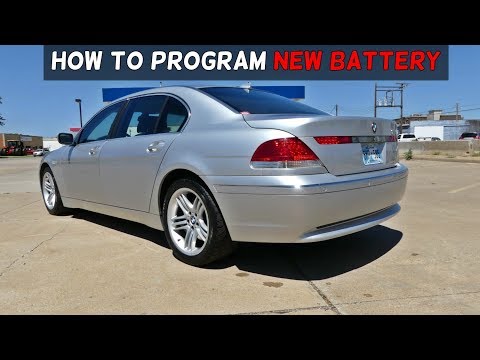 BMW Serie 7 (2001-2008 / E66, E67, E68, E65, MK 4)
Battery Replacement Memory On this car model, you can store the battery replacement as a maintenance record, keeping track of the date, mileage, and type of battery installed. Therefore, …Read all… Posted on 1 March 2026 by ScegliAuto  BMW Serie 7 (2001-2008 / E66, E67, E68, E65, MK 4)
Battery Replacement Without Reprogramming Unlock Codes It is evident that when disconnecting the battery, you will need to enter the various unlock codes for the radio and subsequently reprogram the onboard …Read all… Posted on 27 February 2026 by ScegliAuto Battery BMW Serie 7 (2001-2008 / e 66, e 67, e 68, e 65, mk 4)
BMW Serie 7 (2022-2026 / G70)Replacement and coding of a BMW 7 Series battery In this video, we will see how to change the battery of a BMW 7 Series, and then code it, in order to ensure its correct operation. The battery is not located …Read all… Posted on 26 February 2025 by ScegliAuto
BMW Serie 7 (2001-2008 / E66, E67, E68, E65, MK 4)Battery Replacement Memory On this car model, you can store the battery replacement as a maintenance record, keeping track of the date, mileage, and type of battery installed. Therefore, …Read all… Posted on 1 March 2026 by ScegliAuto
BMW Serie 7 (2001-2008 / E66, E67, E68, E65, MK 4)Battery Replacement Without Reprogramming Unlock Codes It is evident that when disconnecting the battery, you will need to enter the various unlock codes for the radio and subsequently reprogram the onboard …Read all… Posted on 27 February 2026 by ScegliAuto Airbag (5) Speaker (3) Air conditioning (1) Car stereo (5) Battery (3) Air vents (1) Bushings (2) Control arm (4) Spark plugs (1) Body (5) Control unit (1) Key (9) Timing belt (1) V-belt (1) A/C controls (1) Onboard computer (1) Checks and maintenance (4) Dashboard (10) Brake rotors (2) Headlight (3) Air filter (1) Cabin air filter (4) Oil filter (1) Clutch (1) Grille (2) Accessory kit (4) Light bulb (1) Side marker bulb (1) Antifreeze coolant (1) Handle (5) Exhaust muffler (1) Engine (4) Power window motor (1) Starter motor (1) Engine oil (1) Clock (1) Door trim panel (3) Front bumper (3) Rear bumper (2) Tires (1) Pump (1) Fuel pump (1) Car door (1) Push button (1) Radiator (1) Fuse box (17) Seat (2) Parking sensors (1) Oxygen sensor (1) Side mirror (3) Warning light – error code (15) (4) Service warning light (9) Brake drums and shoes (1) Fuel cap (2) Drivetrain (1) Center console tunnel (2) Valve (1) Blower motor (2) |
How to reset the tyre pressure warning light on a Hyundai Tucson
Below are the instructions to reset the tyre pressure warning light (TPMS) on a Hyundai Tucson. First, get into the vehicle and turn on the instrument cluster; then navigate to the vehicle settings until you reach the tyre pressure monitor, identifying the tyre with incorrect pressure. At this point, restore all tyre pressures according to the specifications indicated on the label; this will reset the TPMS and the warning light will be cleared from the instrument cluster! by ScegliAuto More videos
|
|
For advertising on this site Write to info@scegliauto.com
ScegliAuto is not responsible for any inaccuracy of the data in the lists. To report any inaccuracy or your business (if you own the business in question), please write to info@scegliauto.com
Number of seconds to generate the page: 0.008
(c) ScegliAuto 2026 - info@scegliauto.com - Privacy policy VAT number: IT01247470535 |
