
|
Do it yourself
| |||
| ||||


How to reset the oil indicator on the BMW X5 E70
Model: BMW X5
E70
- Years 2007-2013
If you own a BMW X5 e70 and want to complete the manual reset of the engine oil light on your own, you simply need to read the instructions described in this new guide and follow them step by step. First of all, you need to reach the driver's seat and make sure the ignition is off. At this point, locate the button on the left side of the dashboard and hold it down while starting the car's instrument panel. Wait for ten seconds, then release the button and hold it down again for another ten seconds to complete the reset of the oil light.
Posted on 25 March 2024 by ScegliAuto
Video tutorial
Related tutorials
BMW X5
(2007-2013 /
E70)
In this video, the procedure for resetting the service indicator on the BMW X5 E70 is explained. The procedure only takes a few seconds to complete a…
BMW X5
(2007-2013 /
E70)
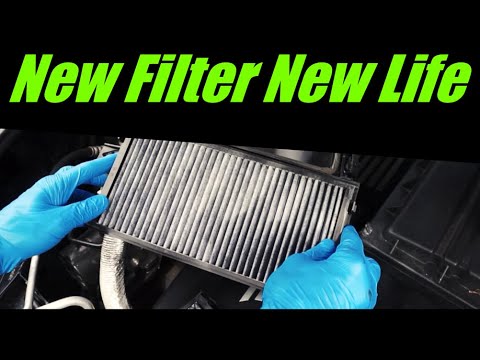
The cabin air filter in your BMW X5 e70 (year 2007-2013) needs to be replaced periodically in order to maintain the quality of the air you breathe wh…

BMW X5
(2007-2013 /
E70)
This brief guide will allow you to reset the service light for the routine maintenance of the engine oil change on the BMW X5. First, get in the vehi…
Other guides you may be interested in
|
How to Replace the Headlight Bulbs on a Mercedes C-Class
Let's see how to replace the headlight bulbs on a Mercedes C-Class. Open the hood by pulling the lever located at the bottom right of the dashboard and secure it with the prop rod. Locate the inspection cap of the headlight (located at the back of the headlight) and remove it. At this point, you will find the bulbs with metal clips; pull the bulb holder out of the headlight and extract the damaged bulbs using a screwdriver or needle-nose pliers. Install the new bulbs (always the correct type and size) and insert the bulb holder back into the headlight. Reassemble all the parts removed earlier. by ScegliAuto More videos
|

|
For advertising on this site Write to info@scegliauto.com
ScegliAuto is not responsible for any inaccuracy of the data in the lists. To report any inaccuracy or your business (if you own the business in question), please write to info@scegliauto.com
Number of seconds to generate the page: 0.099
(c) ScegliAuto 2026 - info@scegliauto.com - Privacy policy VAT number: IT01247470535 |
