
|
Do it yourself
| |||
| ||||



How to Change the Engine Oil in a Chevrolet Beat
Model: Chevrolet Beat
MK 1
- Years:
2010, 2011, 2012, 2013, 2014, 2015, 2016, 2017, 2018, 2019, 2020, 2021
Video tutorial
Changing the engine oil and its filter is undoubtedly one of the most important maintenance tasks for your Chevrolet Beat. Below are the necessary steps. First, ensure the car is completely off for the entire procedure, and the engine should be sufficiently cool for safety reasons. Go to the lower area of the engine compartment and locate the oil pan. Place a drain pan underneath and remove the plug with an appropriate wrench. Allow all the used oil to drain out, then reinstall the plug. Now proceed with replacing the filter, and finally, move to the top of the compartment to refill the oil pan with new fluid.
Updated on 22 May 2026 by ScegliAuto
Related tutorials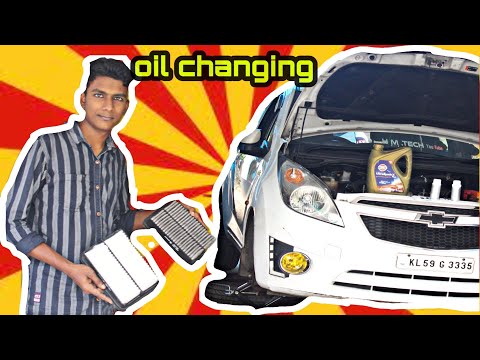
Chevrolet Beat
(2010-2021 /
MK 1)
If you plan to change the engine oil and the related filter on this vehicle yourself, you can find useful information in the description below and in…

Chevrolet Beat
(2010-2021 /
MK 1)
In this video, you will learn how to change the tires on a Chevrolet Beat. First, while the wheel is still on the ground, loosen the bolts that hold …

Chevrolet Beat
(2010-2021 /
MK 1)
As shown in this tutorial, replacing the cabin filter on a Chevrolet Beat is an extremely simple and quick task. Start by sitting in the passenger se…
Other guides you may be interested in
|
How to Set the Time in an Audi A4?
In this tutorial, you will see how to set the time in an Audi A4, a very simple and quick operation to perform after replacing the battery or when the time changes. First, insert the key and turn on the instrument cluster. Then, press the "SETUP" button located on the center console. Next, press the upper left arrow button, navigate to the "Time" option, and use the central knob to adjust the clock. Finally, set any necessary formats and save by returning to the main screen. by ScegliAuto More videos
|
|
For advertising on this site Write to info@scegliauto.com
ScegliAuto is not responsible for any inaccuracy of the data in the lists. To report any inaccuracy or your business (if you own the business in question), please write to info@scegliauto.com
Number of seconds to generate the page: 0.044
(c) ScegliAuto 2026 - info@scegliauto.com - Privacy policy VAT number: IT01247470535 |
