
|
Do it yourself
| |||
| ||||


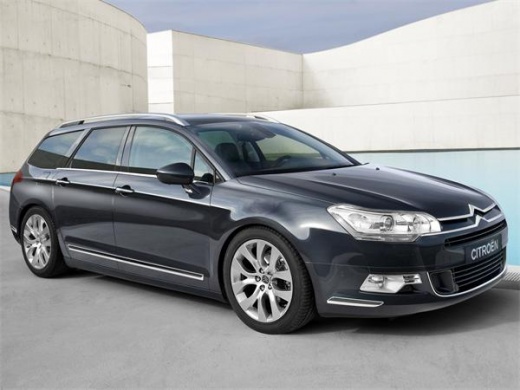
How to Remove the Door Panel on a Citroen C5
Model: Citroen C5
RD, X7, MK 2
- Years:
2008, 2009, 2010, 2011, 2012, 2013, 2014, 2015, 2016, 2017
Video tutorial
Perform the removal of the door panel (right side) on a Citroen C5: disconnect the battery terminals located in the engine bay, use a screwdriver to unscrew the screws located in the space of the upper door opening lever and the screws present in the handle (after removing the plastic screw covers). Remove the plastic covering near the lock, unscrew the remaining screws on the door panel and detach the securing clips. Pull the panel off by hand and disconnect it from the door (disconnect the power wiring and the opening cable). Carry out the desired maintenance inside the door.
Updated on 7 March 2026 by ScegliAuto
Related tutorials
Citroen C5
(2008-2017 /
RD, X7, MK 2)
Remove the door panel on a Citroen C5 if it is damaged or if you need to repair the door from the inside. Remove all the plastic cover pieces above t…

Citroen C5
(2008-2017 /
RD, X7, MK 2)
How do you remove the door panel on a Citroen C5? Let’s see how to proceed. Before starting the disassembly, disconnect the battery terminals located…

Citroen C5
(2008-2017 /
RD, X7, MK 2)
Below we will see the main steps that will allow us to disassemble and replace the front door panel and the window motor of the Citroen C5. First of …
Other guides you may be interested in
|
How to Activate the Automatic Folding and Unfolding of the Wing Mirrors on the Jeep Compass
Follow these brief instructions to activate the automatic folding and unfolding of the external wing mirrors on the Jeep Compass. First, get inside the vehicle and turn on the ignition; then press the button located beneath the mirror glass adjustment to electrically open the mirror, as shown in the video. Pressing the button in the opposite direction will close the mirrors; by holding the button, the mirrors will open and close automatically! by ScegliAuto More videos
|
For advertising on this site Write to info@scegliauto.com
ScegliAuto is not responsible for any inaccuracy of the data in the lists. To report any inaccuracy or your business (if you own the business in question), please write to info@scegliauto.com
Number of seconds to generate the page: 0.105
(c) ScegliAuto 2026 - info@scegliauto.com - Privacy policy VAT number: IT01247470535 |
