
|
Do it yourself
| |||
| ||||


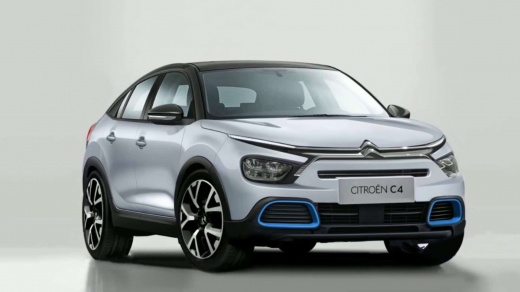
How to Reset the Service Light in a Citroen C4
Model: Citroen C4
- Years:
2020, 2021, 2022, 2023, 2024, 2025, 2026
Video tutorial
To reset the service light on a Citroen C4, turn on the dashboard without starting the engine. Locate the "Menu" or "OK" button on the dashboard and press it while holding until the maintenance screen appears. Use the side buttons to scroll through the options until you find "Reset service" or "Maintenance reset". Select this option and hold the confirm button until the display indicates that the reset has been successfully completed. Turn off the dashboard and turn it back on to check that the light is no longer present. This procedure resets the mileage and days counter for scheduled maintenance. Ensure all other dashboard functions are working correctly before starting the engine.
Posted on 13 November 2026 by ScegliAuto
Related tutorials
Citroen C4
(2014-2020 /
Cactus)
Manually resetting the service light on your Citroen C4 Cactus is not difficult, and by following the steps described in this guide, you will succeed…

Citroen C4
(2014-2020 /
Cactus)
To manually reset the service light on your Citroen C4 Cactus, you only need a few seconds. All you have to do is read the following guide and apply …

Citroen C4
(2010-2018 /
MK 2)
Resetting the service light on your 2012 Citroen C4 is straightforward. To complete the operation, follow the steps outlined in this guide. First, ta…
Other guides you may be interested in
|
How to Open the Fuel Door of the MG ZS?
To open the fuel door of the MG ZS, access the interior of the vehicle to locate the lever that unlocks the fuel door. This lever is located on the lower left side of the dashboard, near the steering column. Pull the lever to open the fuel door, allowing you to unscrew the cap underneath for refueling. After refueling, replace the fuel cap and securely close the fuel door. by ScegliAuto More videos
|
|
For advertising on this site Write to info@scegliauto.com
ScegliAuto is not responsible for any inaccuracy of the data in the lists. To report any inaccuracy or your business (if you own the business in question), please write to info@scegliauto.com
Number of seconds to generate the page: 0.067
(c) ScegliAuto 2026 - info@scegliauto.com - Privacy policy VAT number: IT01247470535 |
