
|
Do it yourself
| |||
| ||||


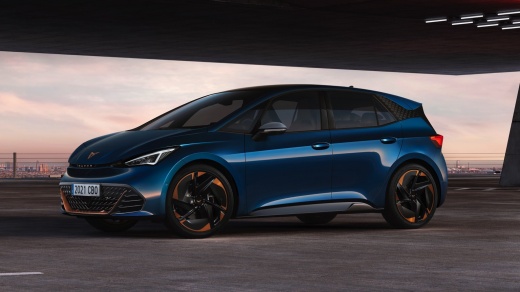
How to Set Up the Cupra Born APP
Model: Cupra Born
MK 1
- Years:
2021, 2022, 2023, 2024, 2025, 2026
Video tutorial
Today, you will learn how to set up the Cupra Born APP. When you purchase the vehicle and turn on the onboard computer for the first time, it will prompt you to register or log in to the Cupra website. Enter your details on the onboard computer to register and download the APP on your phone by scanning the code that appears on the display. Log in using your credentials to the APP, add the vehicle by entering the number displayed on the screen so that you have all the information about your vehicle at hand, and with it, the ability to connect your contacts for making calls or sending messages safely.
Posted on 4 May 2026 by ScegliAuto
Related tutorials
Cupra Born
(2021-2026 /
MK 1)
Each fuse in the Cupra Born is located inside the single fuse box installed within the vehicle: in this type of car, you can find the box in the lowe…

Cupra Born
(2021-2026 /
MK 1)
In the Cupra Born, the fuses are located inside one of the dedicated fuse boxes installed in the vehicle. In this type of vehicle, you will find two …

Cupra Born
(2021-2026 /
MK 1)
In this video, you can see where the fuse boxes of the Cupra Born are located and their respective diagrams, useful in case you need to check the fus…
Other guides you may be interested in
|
How to open the boot if it is stuck on a Mercedes B-Class?
On the Mercedes B-Class, the boot may become stuck, possibly due to a problem with the control button or the lock actuator. In this case, perform the emergency opening by following the simple procedure shown in this tutorial. First, unlock the locks with the remote control, then open the rear doors and, by operating the indicated lever, lower the backrest of the seat. Next, go inside the boot, locate the indicated gap, and manually unlock the lock using a small screwdriver. by ScegliAuto More videos
|
|
For advertising on this site Write to info@scegliauto.com
ScegliAuto is not responsible for any inaccuracy of the data in the lists. To report any inaccuracy or your business (if you own the business in question), please write to info@scegliauto.com
Number of seconds to generate the page: 0.022
(c) ScegliAuto 2026 - info@scegliauto.com - Privacy policy VAT number: IT01247470535 |
