
|
Do it yourself
| |||
| ||||


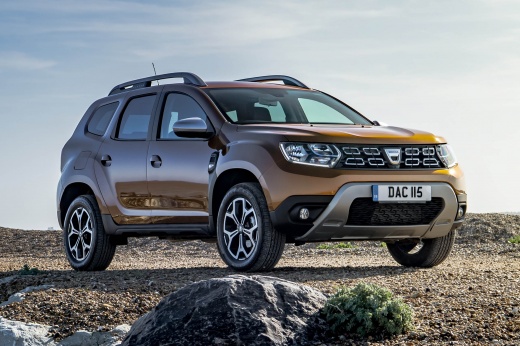
Where is the windshield washer fluid reservoir located on the Dacia Duster?
Model: Dacia Duster
MK 2, HM
- Years:
2017, 2018, 2019, 2020, 2021, 2022, 2023, 2024
Video tutorial
In this video we can see where to find the windshield washer fluid tank of the Dacia Duster MK2: let's take a look at the top corner on the right side of the car. Here, in a hole in the grille that is used to catch leaves, at the end of the front hood, we find a clearly visible yellow cap, where we should not only put water, but a specific product for cleaning car windows. These products are formulated to effectively remove dirt, insects, and other impurities from the windows, ensuring good visibility while driving.
Posted on 14 October 2025 by ScegliAuto
Related tutorials
Dacia Duster
(2010-2017 /
MK 1, HS)
To top up the coolant in a Dacia Duster, open the bonnet to access the components underneath. On the left side of the engine bay, you will find the r…

Dacia Duster
(2017-2024 /
MK 2, HM)
In this video we see the position of the coolant reservoir of the Dacia Duster II: opening the front hood, we find it on the left, below the shock ab…

Dacia Duster
(2017-2024 /
MK 2, HM)
In order to reset the AdBlue warning light of the Dacia Duster, you need to open the fuel filler cap of the car, which is located on the rear right s…
Other guides you may be interested in
|
Frequently Asked QuestionsHow to Set the Date and Time on the Iveco Daily
Today, we will see in this video tutorial how to change the date and time on the Iveco Daily. First, get into the vehicle and turn on the instrument panel; then go to the vehicle settings on the central display, pressing the relevant option for date and time. At this point, press the "set" button located at the top, using the physical arrow buttons to set both the date and time; finally, exit the onboard computer menu to save the changes made! by ScegliAuto More videos
|
For advertising on this site Write to info@scegliauto.com
ScegliAuto is not responsible for any inaccuracy of the data in the lists. To report any inaccuracy or your business (if you own the business in question), please write to info@scegliauto.com
Number of seconds to generate the page: 0.016
(c) ScegliAuto 2026 - info@scegliauto.com - Privacy policy VAT number: IT01247470535 |
