
|
Do it yourself
| |||
| ||||


Resetting the Tyre Pressure Light on a Dacia Sandero
Model: Dacia Sandero
B8
- Years 2012-2020
Resetting the tyre pressure light on a Dacia Sandero is really a piece of cake, and now we will show you how. First, turn on the instrument panel (not the engine, it's not necessary) and press the button located at the end of the right stalk on the steering wheel. Continue to press the button while scrolling through the various pages on the instrument panel screen until you reach the "set tp" option, which stands for "tyre pressure". At this point, hold down the same button until the option resets. Before following this procedure, check the condition of the tyres.
Updated on 13 April 2026 by ScegliAuto
Video tutorial
Related tutorials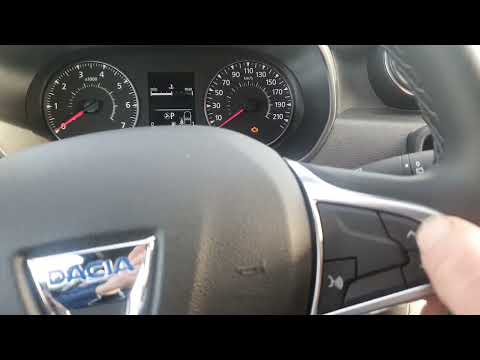
Dacia Sandero
(2021-2026 /
MK 3)
This brief video tutorial shows how to reset the tyre pressure warning light on a third-generation Dacia Sandero. Before performing this operation, e…

Dacia Sandero
(2021-2026 /
MK 3)
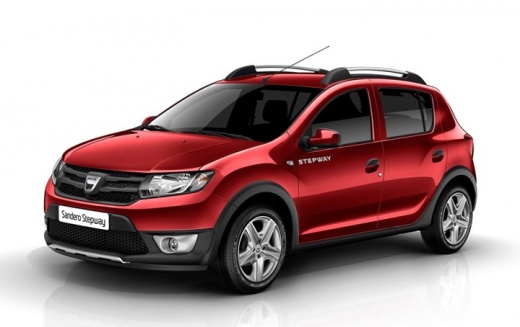
In this tutorial, we will see how to reset the tire warning light in the Dacia Sandero Stepway. This operation is extremely simple and quick, and sho…

Dacia Sandero
(2021-2026 /
MK 3)
The tire pressure warning light displayed on the instrument panel of the Dacia Sandero Stepway can be reset by inflating the tires to the recommended…
Other guides you may be interested in
|
How to Open a Stuck Boot on the Peugeot 407?
On the Peugeot 407, the boot may become stuck, possibly due to a problem with the control button or the lock actuator. In such cases, you can perform an emergency opening by following the simple procedure shown in this tutorial. First, open the rear doors, then lower the seat back by operating the release lever. Next, go inside the boot, locate the lock, and manually operate it using a flathead screwdriver. The boot will then be free to open. by ScegliAuto More videos
|
|
For advertising on this site Write to info@scegliauto.com
ScegliAuto is not responsible for any inaccuracy of the data in the lists. To report any inaccuracy or your business (if you own the business in question), please write to info@scegliauto.com
Number of seconds to generate the page: 0.069
(c) ScegliAuto 2026 - info@scegliauto.com - Privacy policy VAT number: IT01247470535 |
