
|
Do it yourself
| |||
| ||||


Removing the Instrument Cluster on a Dodge Ram
Model: Dodge Dodge Various
Video tutorial
Unscrew the two T15 Torx screws that secure the top of the instrument cluster bezel and remove it (be careful not to damage the clips). Now unscrew the two lower bolts using a 7 mm spanner. Pull the instrument cluster towards you and disconnect the rear connector. This procedure is usually used for replacing the cluster bulbs, which can only be accessed from the rear, or for replacing the cluster itself if it has damaged parts. Then, obviously proceed in reverse for reassembly.
Updated on 14 April 2026 by ScegliAuto
Related tutorials
Dodge Dodge Various
Resetting the TPMS light for the tyre pressure on a Dodge Ram involves simple steps you can do yourself: First, press the button on the vehicle's das…

Dodge Dodge Various
If you own a 2009 Dodge Ram and want to manually reset the engine oil light that remains illuminated on the dashboard even after performing the regul…
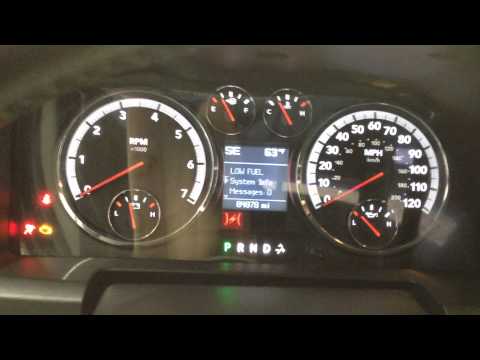
Dodge Dodge Various
Resetting the oil light on a Dodge Ram produced from 2008 to 2012 is very simple. Enter the vehicle and turn on the ignition. Next, press the brake p…
Other guides you may be interested in
|
How to Activate the Automatic Folding and Unfolding of the Wing Mirrors on the Jeep Compass
Follow these brief instructions to activate the automatic folding and unfolding of the external wing mirrors on the Jeep Compass. First, get inside the vehicle and turn on the ignition; then press the button located beneath the mirror glass adjustment to electrically open the mirror, as shown in the video. Pressing the button in the opposite direction will close the mirrors; by holding the button, the mirrors will open and close automatically! by ScegliAuto More videos
|
|
For advertising on this site Write to info@scegliauto.com
ScegliAuto is not responsible for any inaccuracy of the data in the lists. To report any inaccuracy or your business (if you own the business in question), please write to info@scegliauto.com
Number of seconds to generate the page: 0.017
(c) ScegliAuto 2026 - info@scegliauto.com - Privacy policy VAT number: IT01247470535 |
