
|
Do it yourself
| |||
| ||||


Alternator Replacement Instructions
Model: Dodge Charger
LX
- Years:
2006, 2007, 2008, 2009, 2010, 2011
Video tutorial
If the battery warning light remains on after starting the engine, it is likely that the alternator is damaged and no longer charges the battery: check the voltage at the battery terminals with a voltmeter; to replace the alternator, disconnect the battery, remove the auxiliary belt by releasing the pulley, disconnect the cables and connector, and unscrew the mounting bolts: there is enough space in the engine bay to extract the alternator from below; then proceed in reverse for the installation of the new one: it is recommended to opt for a refurbished unit.
Updated on 17 February 2026 by ScegliAuto
Related tutorials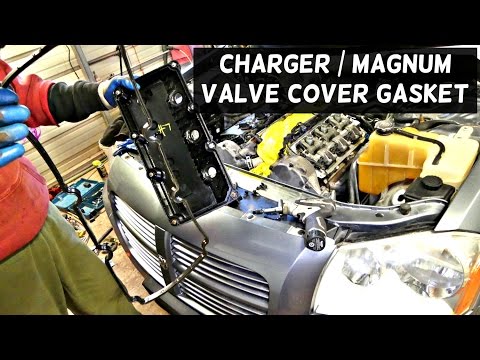
Dodge Charger
(2006-2011 /
LX)
Overheating is the main cause of damage to the engine cylinder head gasket. The following guide provides useful instructions on how to replace it. Fi…
Dodge Charger
(2006-2011 /
LX)
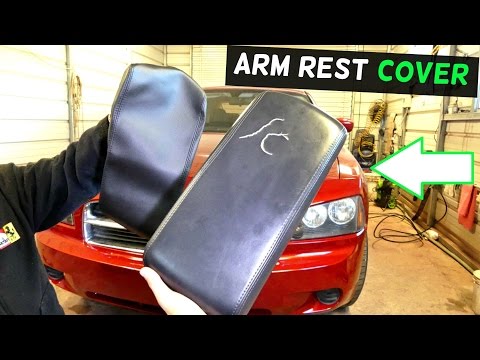
If the cover of the armrest on the centre tunnel is damaged, you can obtain just the cover as a replacement, which is also simple to apply: you will …
Dodge Charger
(2006-2011 /
LX)
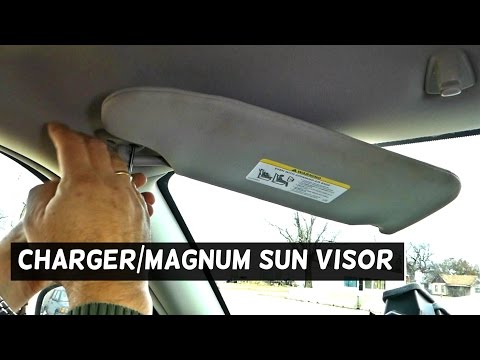
The sun visor prevents glare from sunlight and contains a handy mirror that lights up when the corresponding cover is lifted; it is fixed on one side…
Other guides you may be interested in
|
How to Open the Fuel Filler Flap in the Hyundai i30?
In this tutorial, you will learn how to open the fuel filler flap in the Hyundai i30, a very simple operation that follows the typical procedure of most vehicles. First, unlock the locks using the designated button on the remote, then open the driver's door, locate the release lever on the left side of the seat, and operate it. Next, move to the fuel filler flap, open it completely, unscrew the cap, and refuel as needed. To close the flap, simply press it gently. by ScegliAuto More videos
|
|
For advertising on this site Write to info@scegliauto.com
ScegliAuto is not responsible for any inaccuracy of the data in the lists. To report any inaccuracy or your business (if you own the business in question), please write to info@scegliauto.com
Number of seconds to generate the page: 0.058
(c) ScegliAuto 2026 - info@scegliauto.com - Privacy policy VAT number: IT01247470535 |
