
|
Do it yourself
| |||
| ||||


Instructions for Removing the Instrument Cluster
Model: Dodge Charger
LX
- Years:
2006, 2007, 2008, 2009, 2010, 2011
Video tutorial
To remove the instrument cluster from the dashboard, you must first remove the trim elements around the dial: to take off the frame surrounding the instrument cluster, you need to remove the section of the dashboard underneath to access the relevant fixing screws; start by removing the trim from the door pillar and unscrew the fixing screws of the lower dashboard trim, then move to the rear section surrounding the instrument cluster, also remove the support for the plastic bellows that wraps around the steering column, and finally unscrew the fixing screws of the instrument cluster to remove it from its location, disconnecting the relevant connectors.
Updated on 17 February 2026 by ScegliAuto
Related tutorials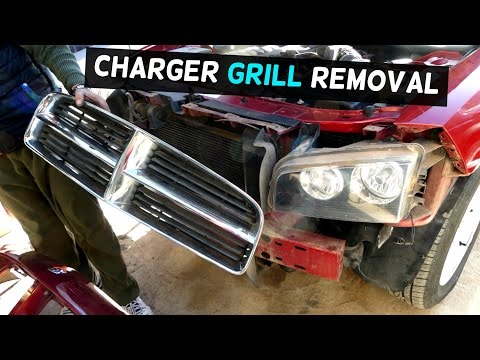
Dodge Charger
(2006-2011 /
LX)
To comfortably remove the front bumper, it is recommended to lift the vehicle on suitable axle stands and remove the front wheels, as the plastic whe…
Dodge Charger
(2006-2011 /
LX)
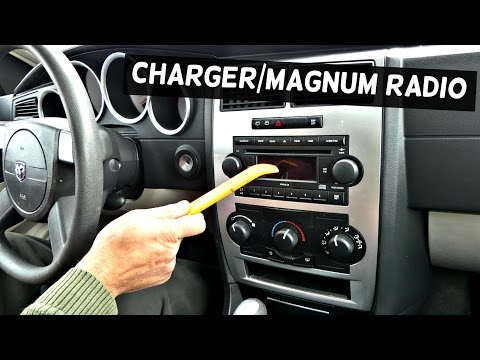
To remove the car radio, first detach the frame around the central console controls and the radio itself: simply lever along the edges to release it …

Dodge Charger
(2006-2011 /
LX)
The cooling fans are mounted on a support frame located just behind the radiator and secured with two upper side pins, while the lower part has plast…
Other guides you may be interested in
|
How to Activate the Automatic Folding and Unfolding of the Wing Mirrors on the Jeep Compass
Follow these brief instructions to activate the automatic folding and unfolding of the external wing mirrors on the Jeep Compass. First, get inside the vehicle and turn on the ignition; then press the button located beneath the mirror glass adjustment to electrically open the mirror, as shown in the video. Pressing the button in the opposite direction will close the mirrors; by holding the button, the mirrors will open and close automatically! by ScegliAuto More videos
|
|
For advertising on this site Write to info@scegliauto.com
ScegliAuto is not responsible for any inaccuracy of the data in the lists. To report any inaccuracy or your business (if you own the business in question), please write to info@scegliauto.com
Number of seconds to generate the page: 0.023
(c) ScegliAuto 2026 - info@scegliauto.com - Privacy policy VAT number: IT01247470535 |
