
|
Do it yourself
| |||
| ||||


How to Install New Features on MediaNav Evolution
Model: EVO EVO Various
Video tutorial
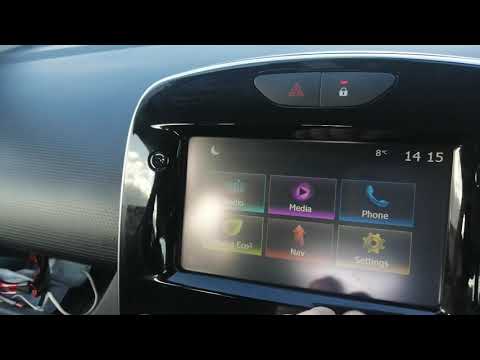
In this video, see how to install new features on MediaNav Evolution: remember that installing this plus will invalidate the warranty. There is also a risk that it may freeze, but it allows you to watch videos, update maps, and speed cameras. The link to download the "plus" can also be seen in the video, indicated by the arrow. Once downloaded, go to the file and copy it onto a FAT32 formatted USB drive, connect it to the MediaNav, select "Italian", and wait for the files to load. The device will restart with the Dacia logo appearing. If the installation of the plus is successful, a "+" will appear, and clicking on it will reveal the additional features.
Updated on 23 July 2026 by ScegliAuto
Related tutorials
Renault Clio
(2012-2019 /
Clio IV, Clio 4, MK 4)
The Medianav Renault system, also available in the Renault Clio 4, is responsible for managing all the infotainment present in the car and the inform…
Renault Clio
(2012-2019 /
Clio IV, Clio 4, MK 4)
Below are the main steps to restore and update the Medianav multimedia system in the Renault Clio, as well as in the Captur. First, get into the vehi…

Renault Renault Various
In order to reset the MediaNav of Renault vehicles, it is necessary to connect a computer directly to the MediaNav, so that it is possible to access …
Other guides you may be interested in |
How to Remove the Rear Seat of a Hyundai Tucson?
To remove the rear seat of a Hyundai Tucson, follow these steps. Start by moving the front seats to their most forward position to gain space. Next, locate the release lever on the underside of the rear seat, near the floor. Press this lever down while pulling the seat upwards to unlock it from the anchor pins. Once unlocked, tilt the seat upwards and forwards to remove it from its position. Repeat this process for both sides of the rear seat. Be careful of any electrical cables or components that may be connected to the seat during removal. Once the rear seat is removed, the disassembly is complete. by ScegliAuto More videos
|
|
For advertising on this site Write to info@scegliauto.com
ScegliAuto is not responsible for any inaccuracy of the data in the lists. To report any inaccuracy or your business (if you own the business in question), please write to info@scegliauto.com
Number of seconds to generate the page: 0.049
(c) ScegliAuto 2026 - info@scegliauto.com - Privacy policy VAT number: IT01247470535 |
