
|
Do it yourself
| |||
| ||||


How to Replace the Radio in a Fiat Grande Punto
Model: Fiat Punto
MK 3, Punto EVO, 199, Grandepunto
- Years 2005-2018
For this operation, first disconnect the battery cables to protect all circuits behind the dashboard of your vehicle. Next, use special tools for extracting the stereo. If you cannot obtain these tools, you can use fine screwdrivers. Once released, extract the stereo and disconnect the cables and connectors at the back. You will also need to remove the stereo casing and then the fascia, which you will need to replace to fit the new stereo you will install. Now, connect the cables to the new stereo and retrace the steps in reverse for reassembling the various components.
Updated on 1 March 2026 by ScegliAuto
Video tutorial
Related tutorials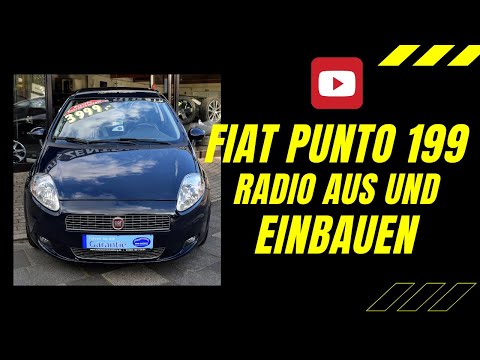
Fiat Punto
(2005-2018 /
MK 3, Punto EVO, 199, Grandepunto )
Today, learn how to remove the car radio from a Fiat Grande Punto (199). This operation is really simple; you just need to have the radio release key…

Fiat Punto
(2005-2018 /
MK 3, Punto EVO, 199, Grandepunto )
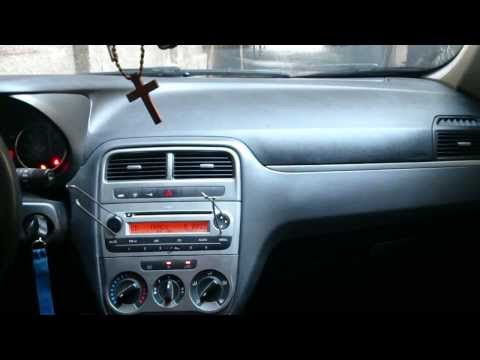
In this tutorial, you will learn how to remove the standard radio from a Fiat Grande Punto by following the instructions below. First, get inside the…
Fiat Punto
(2005-2018 /
MK 3, Punto EVO, 199, Grandepunto )
Do you want to remove the radio from the Grande Punto? Here’s how to take out the radio from the central console using the keys. Insert the keys into…
Other guides you may be interested in
|
How to reset the tyre pressure warning light on the Suzuki Jimny?
To reset the tyre pressure warning light on the Suzuki Jimny, first inflate the tyres to the pressure value indicated on the corresponding sticker: this is located at the bottom of the driver's door pillar. Once the tyres are inflated, insert the ignition key and turn on the instrument panel: select the screen that indicates the tyre pressures, checking that the values change. After a few seconds, the tyre pressure warning light will automatically turn off. by ScegliAuto More videos
|
|
For advertising on this site Write to info@scegliauto.com
ScegliAuto is not responsible for any inaccuracy of the data in the lists. To report any inaccuracy or your business (if you own the business in question), please write to info@scegliauto.com
Number of seconds to generate the page: 0.207
(c) ScegliAuto 2026 - info@scegliauto.com - Privacy policy VAT number: IT01247470535 |
