
|
Do it yourself
| |||
| ||||


How to set up the satellite navigator on the Fiat Ducato
Model: Fiat Ducato
X290
- Years 2014-2026
Let's see how to set up the satellite navigator on the Fiat Ducato X290: we press the navigator button on the control panel located below the screen and go to the map. The system is a TomTom, so it has favorites, home and work address, recent destinations. We then go to the keyboard and set the address we want to search for, indicating a city or a zip code, it is always better to indicate the street number to establish the exact route of the navigator, and here the indication of the route to follow starts, both visually and vocally, to be easily followed.
Posted on 11 May 2025 by ScegliAuto
Video tutorial
Related tutorials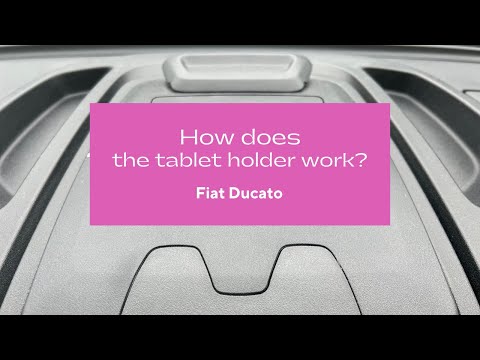
Fiat Ducato
(2014-2026 /
X290)
In this video we can see how to open the tablet holder of the Fiat Ducato: we need to grab the small handle at the back and pull upwards; pull the sm…

Fiat Ducato
(2014-2026 /
X290)
In this short and simple guide, you will learn how to set the date and time on the Fiat Ducato, following the instructions below. First, get in the v…

Fiat Ducato
(2006-2014 /
X250)
Setting the time on the instrument panel of the Fiat Ducato is a very simple and quick operation, which can be done independently thanks to our short…
Other guides you may be interested in
|
How to Bleed the Clutch on a Renault Clio?
To bleed the clutch on a Renault Clio, open the bonnet to access the components located in the engine bay: here, you will need to undo the screws that secure the battery in its housing, the intake manifold, and the coolant reservoir. This will allow you to locate the pipe through which the brake fluid flows: by inserting the other end of the pipe into a container, you can press the clutch pedal to expel all the fluid until it fills the container. by ScegliAuto More videos
|
|
For advertising on this site Write to info@scegliauto.com
ScegliAuto is not responsible for any inaccuracy of the data in the lists. To report any inaccuracy or your business (if you own the business in question), please write to info@scegliauto.com
Number of seconds to generate the page: 0.140
(c) ScegliAuto 2026 - info@scegliauto.com - Privacy policy VAT number: IT01247470535 |
