
|
Do it yourself
| |||
| ||||


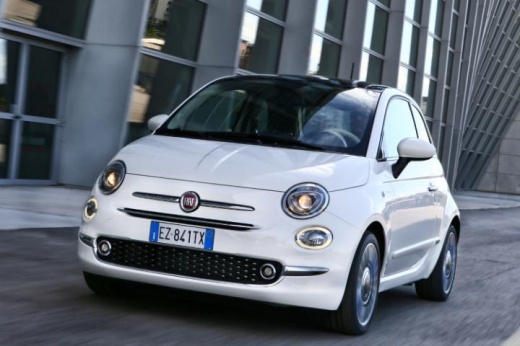
How to install bars on a Fiat 500x
Model: Fiat 500
500 X
- Years:
2014, 2015, 2016, 2017, 2018, 2019, 2020, 2021, 2022
Video tutorial
In this video, we see how to install bars on a Fiat 500x: it is the roof rack that we can find on it. Yakima. Com, where we can select the exact model and year of construction of our car, to find the object suitable for us. Simply use the numbers printed under the towers at the correct width, then tighten with the tool provided, until we hear the "click" that ensures the right tension. Make adjustments to adapt the angle to the curvature of the roof, and adjust the side screw to orient the clip towards the door pillar. Place the clips on the door pillar: they hook from the inside of the pillar, without touching the paint: then adjust the pressure of the clips by loosening the screw under the side cover of the tower: push against the pillar and tighten until the "click": check stability by shaking them slightly and insert the anti-theft caps. After the first 100 kilometers, it is good practice to recheck the tightening.
Posted on 11 August 2025 by ScegliAuto
Related tutorials
Fiat 500
(2014-2022 /
500 X)
To install the roof bars, insert the supports that secure the bars into the respective guides on the bars themselves. Once the supports are inserted,…

Fiat 500
(2014-2022 /
500 X)
In this video tutorial, you can see how simple it is to fit roof bars on the Fiat 500X (Green Valley QUICK Bars) by following a few straightforward s…
Fiat 500
(2014-2022 /
500 X)
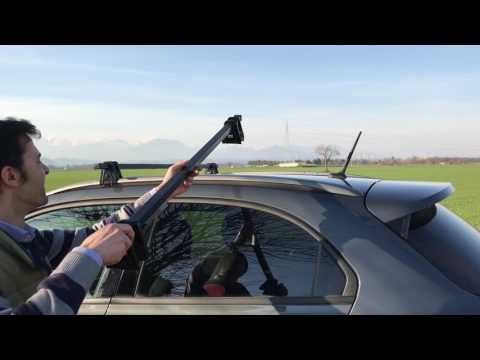
Learn how to equip your car with universal roof bars. Universal roof bars are used on cars with and without roof rails (fixed bars secured to the car…
Other guides you may be interested in |
How to Set the Clock on a Renault Master 3
This guide shows you how to set a new time on a Renault Master 3. Start by turning on the instrument cluster of the vehicle without starting the engine. Next, using the end of the right-hand steering column stalk, scroll through the options on the display until you reach 'set time', then press the down arrow button to make the displayed time blink. Once this is done, press and hold the down arrow button to change the hour, which you can adjust using the two arrow buttons at the end of the stalk. Once the correct hour is set, press and hold the down arrow button again to move to the minutes. After setting the correct time, restart the vehicle. by ScegliAuto More videos
|
|
For advertising on this site Write to info@scegliauto.com
ScegliAuto is not responsible for any inaccuracy of the data in the lists. To report any inaccuracy or your business (if you own the business in question), please write to info@scegliauto.com
Number of seconds to generate the page: 0.020
(c) ScegliAuto 2026 - info@scegliauto.com - Privacy policy VAT number: IT01247470535 |
