
|
Do it yourself
| |||
| ||||


How to Reset the Tyre Warning Light on a Fiat Panda?
Model: Fiat Panda
319, MK 3
- Years 2012-2026
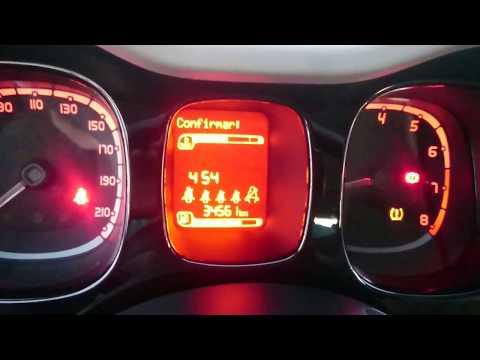
In this tutorial, you will see how to reset the tyre warning light on a Fiat Panda, a very simple operation. Before proceeding, ensure that you have restored the correct pressure for each tyre according to the instructions in the manual. Start by turning on the instrument cluster, then enter the menu and scroll through the various screens using the directional arrows, both buttons located on the central console. Next, enter "Reset Tyres", move the selector to "Yes" and confirm the reset. Finally, restart the vehicle and check that the reset was successful.
Updated on 21 June 2026 by ScegliAuto
Video tutorial
Related tutorials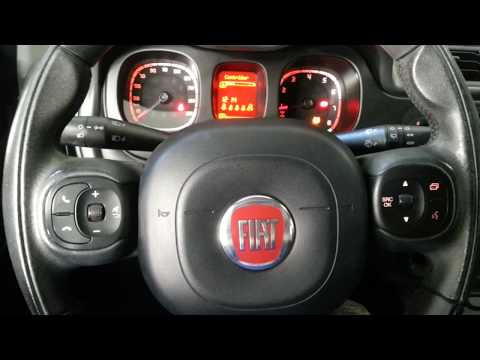
Fiat Panda
(2012-2026 /
319, MK 3)
In this video, see what to do when the tyre pressure light appears on a Fiat Panda. To reset the tyre pressure light: switch on the vehicle's instrum…
Fiat Panda
(2012-2026 /
319, MK 3)
When the tyre pressure light appears on your Fiat Panda, what should you do? Follow these steps. To reset the tyre pressure light, turn on the instru…

Fiat Panda
(2012-2026 /
319, MK 3)
Below we will see the instructions that will allow us to reset the tire pressure warning light of the Fiat Panda; before performing the TPMS sensor r…
Other guides you may be interested in
|
Where is the Fuel Filter Located in a Volvo XC60?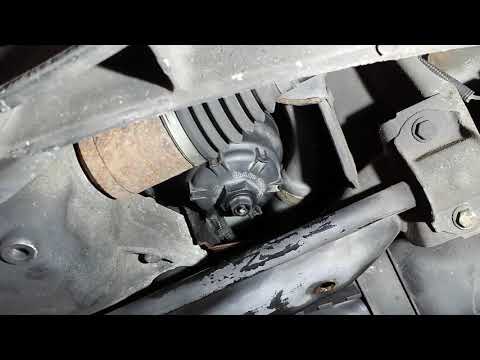
In this video, you will see where the fuel filter is located in a Volvo XC60 and how to proceed if you need to replace it. As shown, the filter is positioned at the lower part of the engine, right between the left half-shaft and the sway bar attachment. To replace the filter, first, go underneath the vehicle, taking all necessary safety precautions. Then, using an 18mm wrench, open the drain valve and allow any water present to escape. Next, unscrew the housing, remove the old filter, insert the replacement along with a new gasket, and reassemble everything. by ScegliAuto More videos
|
|
For advertising on this site Write to info@scegliauto.com
ScegliAuto is not responsible for any inaccuracy of the data in the lists. To report any inaccuracy or your business (if you own the business in question), please write to info@scegliauto.com
Number of seconds to generate the page: 0.536
(c) ScegliAuto 2026 - info@scegliauto.com - Privacy policy VAT number: IT01247470535 |
