
|
Do it yourself
| |||
| ||||


How to Replace the Rear Badge on the Fiat 500 Abarth
Model: Fiat 500
312
- Years 2007-2022
Let’s see how to remove the rear badge from the Fiat 500 Abarth. Place some masking tape where you decide to pry. Additionally, use a plastic spatula to support the area under the edge of the badge. Use a small screwdriver to pry it off, but be careful not to break the two supports that hold the badge to the body, as you will need to remove the entire trim to take them out of their holes. To fit the new badge, clean the plate where the logo will be reattached from any adhesive residue, remove the adhesive from the new badge, fit the two hooks into the appropriate holes, and press firmly.
Updated on 27 June 2026 by ScegliAuto
Video tutorial
Related tutorials
Fiat 500
(2007-2021 /
312)
In today's video tutorial, you will learn how to remove and replace the rear light of the Fiat 500 Abarth, following the instructions below. First, o…
Fiat 500
(2007-2021 /
)
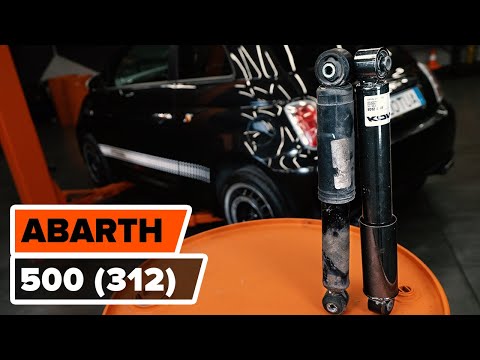
In this video, you will see how to remove and replace the rear shock absorbers on the Fiat 500, in Abarth version; these components should be replace…

Fiat 500
(2007-2024 /
312)
This guide will show you how to remove and replace the rear light of the Fiat 500 Abarth. First, open the boot lid and start unscrewing the fixing sc…
Other guides you may be interested in
|
How to Open the Bonnet on the Lancia Y
To open the bonnet on this vehicle, follow these simple instructions: first, open the driver's door and locate the lever positioned just below the dashboard, marked with an image of the vehicle with the bonnet open. Pull this lever towards you until you hear a "click" indicating the bonnet is released. Next, exit the cabin and stand in front of the bonnet to disengage the safety catch and complete the opening. To do this, slightly lift the bonnet, locate the yellow lever underneath, and pull it to the left to fully release and open the bonnet. by ScegliAuto More videos
|
|
For advertising on this site Write to info@scegliauto.com
ScegliAuto is not responsible for any inaccuracy of the data in the lists. To report any inaccuracy or your business (if you own the business in question), please write to info@scegliauto.com
Number of seconds to generate the page: 0.074
(c) ScegliAuto 2026 - info@scegliauto.com - Privacy policy VAT number: IT01247470535 |
