
|
Do it yourself
| |||
| ||||


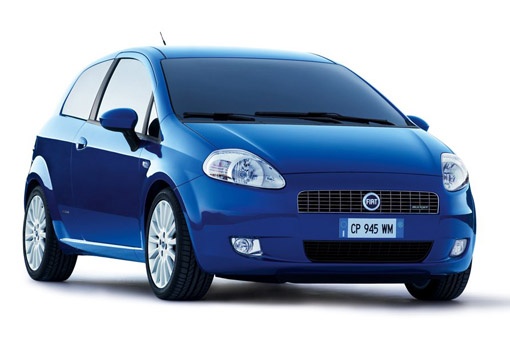
How to Remove the Gear Knob from a Fiat Punto
Model: Fiat Punto
199, MK 3, Grandepunto , Punto EVO
- Years:
2005, 2006, 2007, 2008, 2009, 2010, 2011, 2012, 2013, 2014, 2015, 2016
Video tutorial
It often happens that the covering of the gear knob deteriorates, and on the latest models from the Turin manufacturer, this is a fairly common defect, also affecting the steering wheel. The covering leather tends to peel off, fade, and tear. The advice to permanently solve the problem is to have a skilled upholsterer re-cover both the knob and the steering wheel with genuine leather. Obviously, both the steering wheel and the knob need to be removed, and for the latter, the operation is extremely simple as it only requires unscrewing it from the respective rod while being careful of the underlying spring.
Updated on 21 February 2026 by ScegliAuto
Related tutorials
Fiat Punto
(1999-2011 /
MK 2, 188)
In today's video tutorial, learn how to remove and replace the gear knob on the Fiat Punto by following the instructions below. First, get inside the…
Fiat Punto
(2005-2018 /
199, MK 3, Grandepunto , Punto EVO)
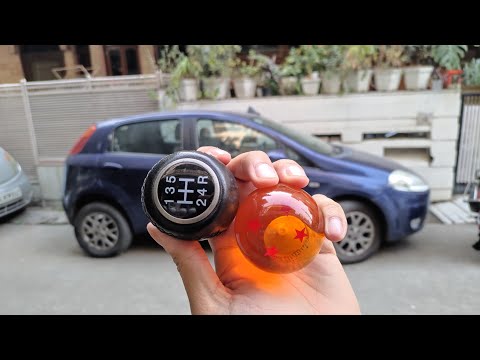
In today's video tutorial, you will see how to remove and replace the gear knob of a Fiat Grande Punto, as well as the Punto Evo. First, get inside t…

Fiat Punto
(1999-2011 /
MK 2, 188)
How to remove the gear knob if damaged? Here’s how to replace the knob on a Fiat Grande Punto. Grip the knob and pull it off decisively until it come…
Other guides you may be interested in
|
How to reset the tyre pressure warning light on the Kia Niro EV?
To reset the tyre pressure warning light on the Kia Niro EV, inflate the tyres until they reach the correct pressure value. This value is indicated on the sticker attached to the driver's door pillar. Once the tyres are inflated, turn on the instrument cluster to check that the warning light has completely disappeared from the display. If it is still present, you may need to drive for a few miles to ensure it disappears completely from the screen. by ScegliAuto More videos
|
|
For advertising on this site Write to info@scegliauto.com
ScegliAuto is not responsible for any inaccuracy of the data in the lists. To report any inaccuracy or your business (if you own the business in question), please write to info@scegliauto.com
Number of seconds to generate the page: 0.028
(c) ScegliAuto 2026 - info@scegliauto.com - Privacy policy VAT number: IT01247470535 |
