
|
Do it yourself
| |||
| ||||


How to Turn Off the Service Light on the Fiat 500
Model: Fiat 500
312
- Years 2007-2024
Insert the key into the ignition and turn it until the main display of the car lights up. The onboard computer will display "HAVE ENGINE OIL CHANGED" if the language is set to English; otherwise, it will show the translation in Italian. If you have performed the required maintenance but this small error remains on the display, resetting it is straightforward. Just follow these brief steps: press the accelerator pedal three times, then turn off the ignition and restart the car, and the job is done!
Updated on 23 February 2026 by ScegliAuto
Video tutorial
Related tutorials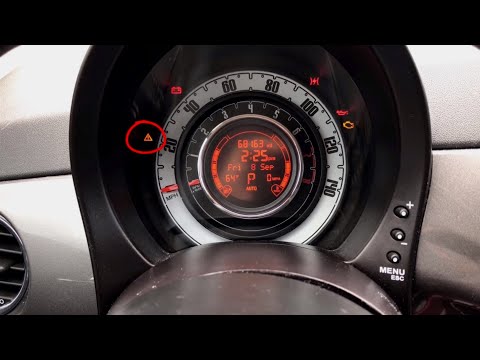
Fiat 500
(2007-2022 /
312)
To manually reset the orange service light that appears on the instrument cluster of your new Fiat 500, follow these steps. First, enter the vehicle,…

Fiat 500
(2014-2022 /
500 X)
We came across the maintenance of our Fiat 500 X, so we changed the engine oil and so on, following the manufacturer's instructions scrupulously. Aft…

Fiat 500
(2007-2024 /
312)
In this article, we will see how to reset the service light of a 2016 Fiat 500. We recommend performing this procedure only after having the car serv…
Other guides you may be interested in
|
Frequently Asked QuestionsHow to Check the Oil Level on a Jeep Renegade?
To check the oil level on a Jeep Renegade, you need to open the bonnet to access the components inside the engine bay: on the lower left side of the engine block, you will find the dipstick for checking the level. This should be pulled out and thoroughly cleaned with a cloth: once cleaned, reinsert it back into its tube and pull it out immediately after. This way, you can check that the oil mark is between the minimum and maximum levels; finally, you can place the dipstick back in its tube. by ScegliAuto More videos
|
|
For advertising on this site Write to info@scegliauto.com
ScegliAuto is not responsible for any inaccuracy of the data in the lists. To report any inaccuracy or your business (if you own the business in question), please write to info@scegliauto.com
Number of seconds to generate the page: 0.243
(c) ScegliAuto 2026 - info@scegliauto.com - Privacy policy VAT number: IT01247470535 |
