
|
Do it yourself
| |||
| ||||


How to open the hood of the Ford Ranger
Model: Ford Ranger
T6, P375, PX
- Years 2011-2023
In a few simple steps, we will see how to open the hood of the Ford Ranger, following the instructions below. First, open the front driver's side door and start pulling the hood release lever located at the bottom, near the door pillar; then move to the front of the vehicle and release the hood latch pin located between the hood and the bumper grille (in the central part), as shown in the video. At this point, lift the hood held by the hydraulic struts, guiding it down to close it!
Posted on 2 June 2025 by ScegliAuto
Video tutorial
Related tutorials
Ford Ranger
(1993-1997 /
MK 2)
To find the fuse box inside your Ford Ranger, you must follow the steps described in this new mini guide dedicated to you. First of all, you must ope…

Ford Ranger
(2011-2023 /
T6, P375, PX)
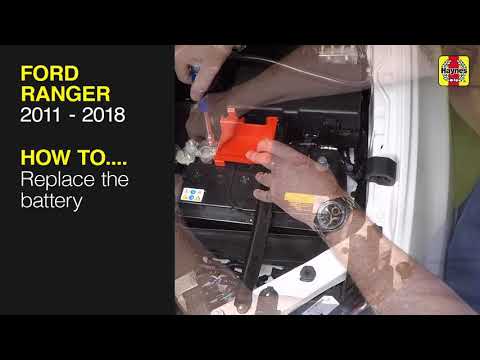
To replace the battery in a Ford Ranger, open the bonnet to access the components inside the engine bay: the battery is located on the right side, ne…
Ford Ranger
(2011-2023 /
T6, P375, PX)
To replace the battery in a Ford Ranger, open the bonnet to access the components in the engine bay. The battery is located at the front, near the le…
Other guides you may be interested in
|
How to reset the tyre pressure warning light on a Hyundai Tucson
Below are the instructions to reset the tyre pressure warning light (TPMS) on a Hyundai Tucson. First, get into the vehicle and turn on the instrument cluster; then navigate to the vehicle settings until you reach the tyre pressure monitor, identifying the tyre with incorrect pressure. At this point, restore all tyre pressures according to the specifications indicated on the label; this will reset the TPMS and the warning light will be cleared from the instrument cluster! by ScegliAuto More videos
|
|
For advertising on this site Write to info@scegliauto.com
ScegliAuto is not responsible for any inaccuracy of the data in the lists. To report any inaccuracy or your business (if you own the business in question), please write to info@scegliauto.com
Number of seconds to generate the page: 0.504
(c) ScegliAuto 2026 - info@scegliauto.com - Privacy policy VAT number: IT01247470535 |
