
|
Do it yourself
| |||
| ||||


How to replace the timing belt on the Ford Galaxy 2.0 TDCi?
Model: Ford Galaxy
MK 2
- Years 2006-2015
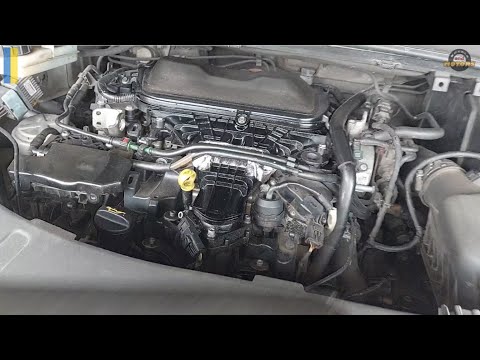
The importance of replacing the timing belt at every kilometer or time interval set by the manufacturer is very high. This is because it is subject to wear and hardening, so to avoid the risk of it breaking and irreversibly damaging the engine, these guidelines must be followed. With our video tutorial, we understand how the job is done: the protective cover of the belt is removed, the tensioner is loosened, and the belt is extracted from its seat. Before installing the new one, it is important to ensure that the replacement is perfectly compatible and, above all, that the engine is properly timed.
Posted on 20 January 2026 by ScegliAuto
Video tutorial
Related tutorials
Ford Galaxy
(2006-2015 /
MK 2)
Today we will discover the instructions that will allow us to disassemble and replace the timing belt of the Ford Galaxy 2.0 TDCi. First, lift the ve…
Ford Galaxy
(2006-2015 /
MK 2)
Here are the main instructions for removing and replacing the timing belt on the Ford Galaxy 2.0 TDCi. To replace the timing belt, lift the vehicle; …

Ford Galaxy
(2006-2015 /
MK 2)
Today's instructions will illustrate the procedure for removing and replacing the diesel filter on the Ford Galaxy 1.6 TDCi. First, open the vehicle'…
Other guides you may be interested in
|
How to Open the Bonnet on the Lancia Y
To open the bonnet on this vehicle, follow these simple instructions: first, open the driver's door and locate the lever positioned just below the dashboard, marked with an image of the vehicle with the bonnet open. Pull this lever towards you until you hear a "click" indicating the bonnet is released. Next, exit the cabin and stand in front of the bonnet to disengage the safety catch and complete the opening. To do this, slightly lift the bonnet, locate the yellow lever underneath, and pull it to the left to fully release and open the bonnet. by ScegliAuto More videos
|

|
For advertising on this site Write to info@scegliauto.com
ScegliAuto is not responsible for any inaccuracy of the data in the lists. To report any inaccuracy or your business (if you own the business in question), please write to info@scegliauto.com
Number of seconds to generate the page: 0.259
(c) ScegliAuto 2026 - info@scegliauto.com - Privacy policy VAT number: IT01247470535 |
