
|
Do it yourself
| |||
| ||||


How to reset the BMS of a Ford Transit
Model: Ford Transit
MK 8
- Years:
2014, 2015, 2016, 2017, 2018, 2019, 2020, 2021, 2022, 2023, 2024
Video tutorial
Let’s see how to reset the BMS (Battery Management System) of a Ford Transit. After replacing the battery, we need to reset the system so it learns the characteristics of the new battery. Start the vehicle, turn off the radio to avoid interference, and flash the main beam five times, slowly and firmly. Press the brake three times (again, pumping firmly and fully). Observe the battery light on the dashboard: after a few seconds, the battery light will flash three times (the video may count four, but it makes no difference) to indicate that the reset has been successful.
Posted on 25 April 2026 by ScegliAuto
Related tutorials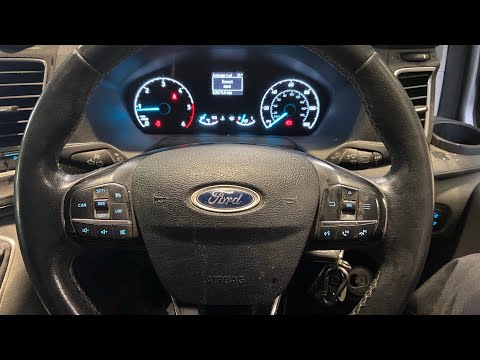
Ford Transit
(2014-2024 /
MK 8)
To manually reset the engine oil warning light on your new Ford Transit, simply follow a straightforward procedure outlined in this mini guide. First…

Ford Transit
(2014-2024 /
MK 8)
To complete the procedure that allows you to manually reset the oil light on your Ford Transit (year 2018) takes less than a minute. First, reach the…
Ford Transit
(2014-2024 /
MK 8)
To reset the AdBlue light on the Ford Transit, first top up the AdBlue: open the fuel flap and unscrew the blue cap underneath. After topping up, tur…
Other guides you may be interested in
|
How to Remove the Toll Tag Holder from the Car Windscreen
The toll tag holder is usually attached to the car windscreen to ensure that the toll tag functions immediately when passing through barriers. However, if you decide to remove the holder, you should follow this procedure: - Insert the toll tag into the holder; - Pull the holder inwards to detach it from the windscreen; you can use a glass scraper or a stiff plastic card to assist you; After removing the holder, it is essential to remove the adhesive from the windscreen. To remove the adhesive, we recommend using a solvent-based spray that will remove the glue without clouding the area. by ScegliAuto More videos
|
|
For advertising on this site Write to info@scegliauto.com
ScegliAuto is not responsible for any inaccuracy of the data in the lists. To report any inaccuracy or your business (if you own the business in question), please write to info@scegliauto.com
Number of seconds to generate the page: 0.064
(c) ScegliAuto 2026 - info@scegliauto.com - Privacy policy VAT number: IT01247470535 |
