
|
Do it yourself
| |||
| ||||


How to Reset the Service Light on a Ford Explorer?
Model: Ford Explorer
- Years:
2011, 2012, 2013, 2014, 2015, 2016, 2017, 2018, 2019
Video tutorial
You can completely clear the Service light on a Ford Explorer by turning on the ignition after inserting the key into the ignition switch: once the dashboard is lit, you can navigate the menu that appears on the instrument panel. Select the "Settings" option and then "Vehicle": at this point, you can choose the "Oil life reset" option and hold down the OK button located on the left side of the steering wheel. This will clear the light from the dashboard, which can then be turned off.
Posted on 20 October 2026 by ScegliAuto
Related tutorials
Ford Explorer
(2020-2026 /
MK 6, U625)
Today we will explain how to reset the service light on a 2022 Ford Explorer. To reset the service light, we need to turn on the instrument panel and…
Ford Explorer
(2002-2005 /
MK 3, U152)
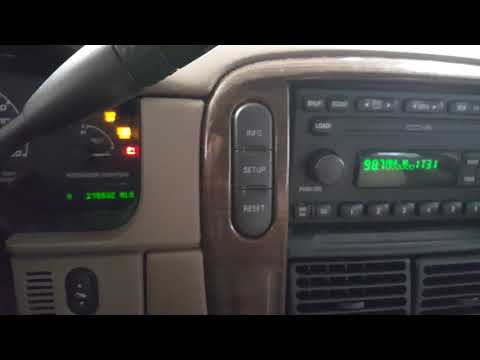
Today, you will learn how to reset the service light on the 2002 Ford Explorer. The first step is to enter the cabin and turn on the instrument clust…

Ford Explorer
(2006-2010 /
U251, MK 4)
In this tutorial we can see how to reset the oil service in the Ford Explorer, an extremely simple and quick operation, to be carried out only once a…
Other guides you may be interested in
|
Replacing the Gear Knob on the Mercedes Sprinter MK 2
With regular use, the gear knob on the Mercedes Sprinter may show signs of wear that necessitate its replacement. To carry out the replacement, sit in the driver's seat, and using a pair of pliers, rotate the knob left and right to unlock it. Grip the knob and gently pull it off while ensuring that the spring mounted on the lever does not get lost. Take the new knob, align it with the gear pattern, tap it on gently, and finish inserting it using a rubber mallet. by ScegliAuto More videos
|
|
For advertising on this site Write to info@scegliauto.com
ScegliAuto is not responsible for any inaccuracy of the data in the lists. To report any inaccuracy or your business (if you own the business in question), please write to info@scegliauto.com
Number of seconds to generate the page: 0.165
(c) ScegliAuto 2026 - info@scegliauto.com - Privacy policy VAT number: IT01247470535 |
