
|
Do it yourself
| |||
| ||||


1995-2001 Ford Explorer (Un105, Un150, MK 2)
Tutorial - For model years: 1995, 1996, 1997, 1998, 1999, 2000, 2001
Mechanics (1)Electrical System and Lighting (6)Bodywork and Windows (3)Interior and Accessories (1)Vehicle Controls and Functions (1) Ford Explorer (1995-2001 / MK 2, Un150, Un105) How to access the internal fuse box of the Ford Explorer In this guide, we will see the information related to the layout and positioning of the internal fuse box of the Ford Explorer, in simple steps. First of all, …Read all… Posted on 4 May 2025 by ScegliAuto  Ford Explorer (1995-2001 / MK 2, Un150, Un105) What is the fuse diagram for the Ford Explorer? If any devices in your Ford Explorer have suddenly stopped working, first check the status of the relevant fuses, which are indicated in this video. The first …Read all… Posted on 21 October 2026 by ScegliAuto  Ford Explorer (1995-2001 / MK 2, Un150, Un105) Fuses Location and Diagram for the Ford Explorer MK2 In this video, you can see the positioning and diagram of the fuse boxes for the Ford Explorer MK2: the fuse box located in the cabin is found within the …Read all… Posted on 16 October 2026 by ScegliAuto 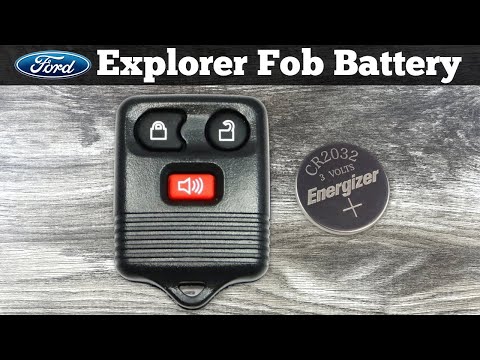 Ford Explorer (1995-2001 / MK 2, Un150, Un105) How to Replace the Key Battery of the Ford Explorer If you own a Ford Explorer Mk2 and want to learn how to replace the battery inside the key, read this guide carefully and put the instructions into practice. …Read all… Posted on 5 September 2026 by ScegliAuto  Ford Explorer (1995-2001 / MK 2, Un150, Un105) How to Remove the Front Door Panel of the Ford Explorer In today's video tutorial, we will see the steps on how to remove and replace the front door panel of the Ford Explorer, following the instructions below. …Read all… Posted on 6 November 2026 by ScegliAuto  Ford Explorer (1995-2001 / MK 2, Un150, Un105) How to replace the instrument panel bulbs in the Ford Explorer? In this tutorial, you will see how to replace the instrument panel bulbs in the Ford Explorer, a very simple and quick operation. First, ensure that the key is …Read all… Posted on 2 November 2026 by ScegliAuto  Ford Explorer (1995-2001 / MK 2, Un150, Un105) How to Replace the Front Headlight on a Ford Explorer. If you own a Ford Explorer and want to replace the headlights, this video will show you how. The first step is to open the bonnet and lift the plastic cover …Read all… Posted on 10 August 2026 by ScegliAuto  Ford Explorer (1995-2001 / MK 2, Un150, Un105) How to Replace the External Door Handle on the Ford Explorer MK2 Follow these simple steps to remove and replace the external door handle on the second series Ford Explorer. First, remove the door panel by taking off the …Read all… Posted on 8 August 2026 by ScegliAuto  Ford Explorer (1995-2001 / MK 2, Un150, Un105) How to Replace the Front Indicator Bulb on a Ford Explorer To replace the indicator bulb on a Ford Explorer, open the bonnet and lift the cover at the front of the engine bay; this will allow you to access the screws …Read all… Posted on 1 August 2026 by ScegliAuto  Ford Explorer (1995-2001 / MK 2, Un150, Un105) How to Replace the Serpentine Belt on a Ford Explorer To replace the serpentine belt on a Ford Explorer, open the bonnet to access the engine compartment. Disconnect the securing clips that hold the air duct in …Read all… Posted on 26 July 2026 by ScegliAuto  Ford Explorer (1995-2001 / MK 2, Un150, Un105) How to Replace the Seat Adjustment Lever on the Ford Explorer To replace the lever that adjusts the seat on the Ford Explorer, you need to remove the cover from the side of the seat to access the underlying components. …Read all… Posted on 17 July 2026 by ScegliAuto  Ford Explorer (1995-2001 / MK 2, Un150, Un105) How to Remove the Door Panel on a Ford Explorer? To remove the door panel on a Ford Explorer, detach the plastic cover located in the handle recess by loosening the two screws underneath. Additionally, remove …Read all… Posted on 19 June 2026 by ScegliAuto |
See also:How to reset the tyre pressure warning light on the Kia Niro EV?
To reset the tyre pressure warning light on the Kia Niro EV, inflate the tyres until they reach the correct pressure value. This value is indicated on the sticker attached to the driver's door pillar. Once the tyres are inflated, turn on the instrument cluster to check that the warning light has completely disappeared from the display. If it is still present, you may need to drive for a few miles to ensure it disappears completely from the screen. by ScegliAuto More videos
|
|
For advertising on this site Write to info@scegliauto.com
ScegliAuto is not responsible for any inaccuracy of the data in the lists. To report any inaccuracy or your business (if you own the business in question), please write to info@scegliauto.com
Number of seconds to generate the page: 0.102
(c) ScegliAuto 2026 - info@scegliauto.com - Privacy policy VAT number: IT01247470535 |
