
|
Do it yourself
| |||
| ||||


2006-2010 Ford Explorer (MK 4, U251)
Tutorial - For model years: 2006, 2007, 2008, 2009, 2010
Mechanics (4)Electrical System and Lighting (13)Bodywork and Windows (11)Interior and Accessories (2)Vehicle Controls and Functions (11) Ford Explorer (2006-2010 / MK 4, U251) How to Reset the Service on a Ford Explorer In this tutorial, see how to reset the service on a Ford Explorer, a very simple and quick operation to perform only after completing all scheduled maintenance …Read all… Posted on 18 August 2026 by ScegliAuto  Ford Explorer (2006-2010 / MK 4, U251) How Can You Convert a Ford Explorer into a Camper? Converting certain vehicles into campers offers significant convenience, as it provides a resting and sleeping area always at hand. A vehicle like the Ford …Read all… Posted on 3 August 2026 by ScegliAuto  Ford Explorer (2006-2010 / MK 4, U251) How to reset the oil service in the Ford Explorer? In this tutorial we can see how to reset the oil service in the Ford Explorer, an extremely simple and quick operation, to be carried out only once all …Read all… Posted on 20 September 2025 by ScegliAuto  Ford Explorer (2006-2010 / MK 4, U251) Where is the OBD port located on the Ford Explorer 2008? In the following guide, we will describe all the steps you need to follow if you need to locate the OBD port in the cabin of your 2008 Ford Explorer. First of …Read all… Posted on 16 May 2025 by ScegliAuto  Ford Explorer (2006-2010 / MK 4, U251) Resetting the service light on the Ford Explorer MK4. When we are approaching the mileage scheduled for the engine oil change of the Ford Explorer, a reminder appears on the display in the center of the …Read all… Posted on 19 February 2025 by ScegliAuto  Ford Explorer (2006-2010 / MK 4, U251) How to Reset the Service Light on the 2008 Ford Explorer Resetting the service light on a 2008 Ford Explorer is a simple and quick process you can do yourself. To reset, follow these steps: - Turn on the ignition; - …Read all… Posted on 4 November 2026 by ScegliAuto
Ford Explorer (2006-2010 / MK 4, U251)Where is the Cabin Fuse Box on the 2006 Ford Explorer? If you haven't yet found the fuse box for your 2006 Ford Explorer, don't worry because this guide provides all the information you need. First, access the …Read all… Posted on 29 October 2026 by ScegliAuto  Ford Explorer (2006-2010 / MK 4, U251) How to Remove the Door Panel of a Ford Explorer In today's tutorial, you will learn how to remove the door panel of a fourth-generation Ford Explorer. Start by unscrewing the two screws beneath the door …Read all… Posted on 19 October 2026 by ScegliAuto  Ford Explorer (2006-2010 / MK 4, U251) Where to find and how to access the fuse box of a Ford Explorer? The fuse box of a Ford Explorer is located under the steering column. To access it, start by turning off the engine and ensuring the vehicle is parked safely. …Read all… Posted on 13 October 2026 by ScegliAuto  Ford Explorer (2006-2010 / MK 4, U251) What is the fuse diagram for the Ford Explorer? If a device in your Ford Explorer has suddenly stopped working, you can first check the status of the relevant fuses, the diagrams of which are indicated in …Read all… Posted on 27 September 2026 by ScegliAuto  Ford Explorer (2006-2010 / MK 4, U251) How to Reset the Oil Change Light on the 2008 Ford Explorer In this video, we will see how to reset the oil light on the 2008 Ford Explorer. This procedure is necessary if the light remains on after changing the oil. It …Read all… Posted on 25 September 2026 by ScegliAuto 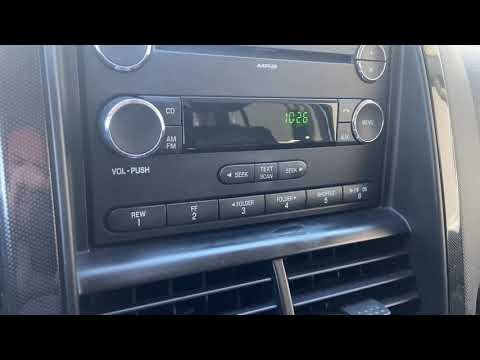 Ford Explorer (2006-2010 / MK 4, U251) Setting the time on a Ford Explorer Today, you will learn how to set the time on your Ford Explorer, fourth generation model produced from 2006 to 2010. First, turn on the instrument cluster of …Read all… Posted on 12 September 2026 by ScegliAuto  Ford Explorer (2006-2010 / MK 4, U251) Where to Find the Fuse Box on the 2010 Ford Explorer If your 2010 Ford Explorer has a fault in one or more electrical components and you want to access the respective fuses directly, simply follow this guide to …Read all… Posted on 26 August 2026 by ScegliAuto
Ford Explorer (2006-2010 / MK 4, U251)Fuse Box of a Ford Explorer This useful video shows the location of the two fuse boxes in our Ford Explorer, Sport Trac model, produced from 2006 to 2010. As seen in the tutorial, the …Read all… Posted on 20 August 2026 by ScegliAuto  Ford Explorer (2006-2010 / MK 4, U251) How to Replace the Instrument Cluster Bulbs in the Ford Explorer In this tutorial, you will learn how to replace the instrument cluster bulbs in the Ford Explorer, a very simple and quick operation. Start by unscrewing the …Read all… Posted on 9 August 2026 by ScegliAuto  Ford Explorer (2006-2010 / MK 4, U251) How to Program a New Remote for the Ford Explorer? In this tutorial, we will see how to program a new remote for the Ford Explorer, a very simple and quick operation. To do this, you will need a working key; …Read all… Posted on 8 August 2026 by ScegliAuto  Ford Explorer (2006-2010 / MK 4, U251) How to Replace the Front Fog Light on the Ford Explorer Mk4 This guide shows how to replace the front fog lights on the Ford Explorer Mk4. First, lift the vehicle and disconnect the power cable of the fog light. Then, …Read all… Posted on 8 November 2026 by ScegliAuto 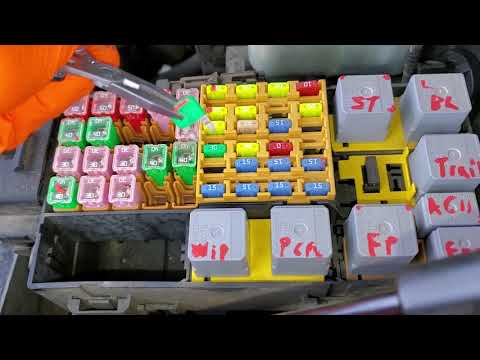 Ford Explorer (2006-2010 / MK 4, U251) Where is the wiper relay located in the Ford Explorer? If the wipers on your Ford Explorer have suddenly stopped working, check the status of the respective relay, the location of which is indicated in this video. …Read all… Posted on 2 November 2026 by ScegliAuto  Ford Explorer (2006-2010 / MK 4, U251) How to Change the Battery on a Ford Explorer [WORLD] To replace the battery independently on this vehicle, the following description contains all the necessary information and steps for a safe replacement. The …Read all… Posted on 28 October 2026 by ScegliAuto  Ford Explorer (2006-2010 / MK 4, U251) How to Remove the Tailgate Lock Actuator on a Ford Explorer Today, in this video tutorial, learn how to remove and replace the tailgate lock actuator on a Ford Explorer. First, open the rear tailgate and begin removing …Read all… Posted on 14 October 2026 by ScegliAuto |
See also:How to reset the tyre pressure warning light on the Kia Niro EV?
To reset the tyre pressure warning light on the Kia Niro EV, inflate the tyres until they reach the correct pressure value. This value is indicated on the sticker attached to the driver's door pillar. Once the tyres are inflated, turn on the instrument cluster to check that the warning light has completely disappeared from the display. If it is still present, you may need to drive for a few miles to ensure it disappears completely from the screen. by ScegliAuto More videos
|
|
For advertising on this site Write to info@scegliauto.com
ScegliAuto is not responsible for any inaccuracy of the data in the lists. To report any inaccuracy or your business (if you own the business in question), please write to info@scegliauto.com
Number of seconds to generate the page: 0.016
(c) ScegliAuto 2026 - info@scegliauto.com - Privacy policy VAT number: IT01247470535 |
