
|
Do it yourself
| |||
| ||||


Reset oil change on Ford Focus
Model: Ford Focus
MK 3
- Years 2011-2018
How to reset the maintenance warning light on a Ford Focus? Let's see the reset of the warning light once identified on the instrument panel. We enter the car body, turn on the instrument panel with a special key and press the brake and accelerator pedal at the same time (we will see the fixed maintenance warning light on). We turn off the instrument panel with the key, immediately turn it on again to check the maintenance carried out (we leave the pedals when the message of the maintenance carried out appears). We use the information display, we turn off the instrument panel at the end of the settings of the car.
Posted on 7 September 2022 by ScegliAuto
Video tutorial
Related tutorials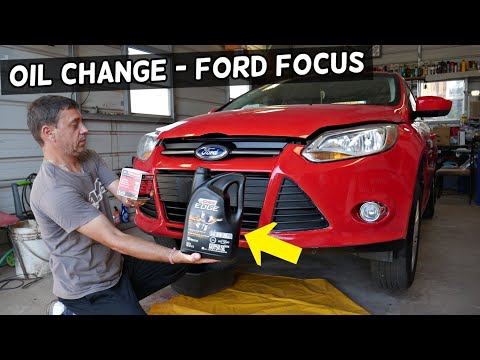
Ford Focus
(2011-2018 /
MK 3)
In order to change the Ford Focus engine oil you have to go and lift the car with a jack, so that you can access the components underneath. Here you …

Ford Focus
(2004-2011 /
Focus 2, MK 2)
We see in this video the basic steps to be able to reset the oil change routine maintenance service light on a Ford Focus second series. First of all…
Ford Focus
(2018-2025 /
MK 4)
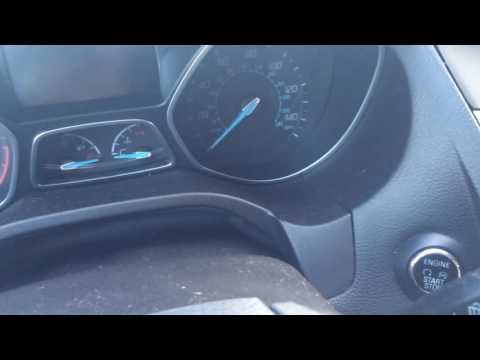
The procedure concerns the Ford Focus with engine start button. To reset the oil change signal, the instrument panel must first be activated, without…
Other guides you may be interested in
|
Frequently Asked QuestionsHow to Replace the Timing Belt on a Lancia Delta
How do you replace the timing belt on a Lancia Delta? Lift the car on a column lift. Open the bonnet, remove the engine soundproofing panel and the metal timing belt cover. Using a suitable spanner, loosen the tensioner pulley and slide the belt off its seat. After fitting the new belt, use the spanner to tension the tensioner pulley, tightening until the belt has the correct tension (as previously installed). Finally, check the tensioner and the belt itself, and tighten everything with a socket wrench. by ScegliAuto More videos
|
|
For advertising on this site Write to info@scegliauto.com
ScegliAuto is not responsible for any inaccuracy of the data in the lists. To report any inaccuracy or your business (if you own the business in question), please write to info@scegliauto.com
Number of seconds to generate the page: 0.104
(c) ScegliAuto 2026 - info@scegliauto.com - Privacy policy VAT number: IT01247470535 |
