
|
Do it yourself
| |||
| ||||


How to Reset the Oil Light on the Ford Transit
Model: Ford Transit
MK 8
- Years:
2014, 2015, 2016, 2017, 2018, 2019, 2020, 2021, 2022, 2023, 2024
Video tutorial
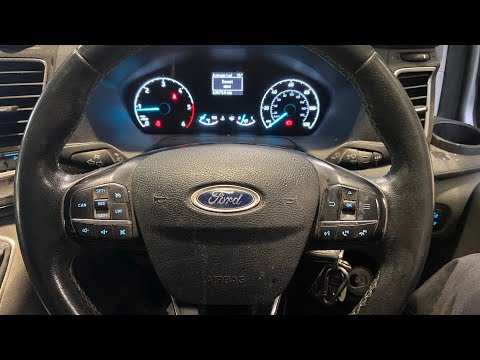
In this new guide dedicated to your Ford Transit Mk8, discover how to reset the oil light without using any professional tools. The entire procedure takes only a few minutes to complete correctly; just read the following instructions carefully. First, insert the key and turn on the instrument panel. Then, press and hold both the brake pedal and the accelerator pedal simultaneously. Wait a few seconds, and as soon as the reset is confirmed on the display, release both pedals, and you are done.
Updated on 6 June 2026 by ScegliAuto
Related tutorials
Ford Transit
(2014-2024 /
MK 8)
To complete the procedure that allows you to manually reset the oil light on your Ford Transit (year 2018) takes less than a minute. First, reach the…

Ford Transit
(2014-2024 /
MK 8)
After performing an oil change on a Ford Transit, it is necessary to reset the oil light. To reset the light, switch on the ignition and then press t…
Ford Transit
(2014-2024 /
MK 8)
To manually reset the engine oil warning light on your new Ford Transit, simply follow a straightforward procedure outlined in this mini guide. First…
Other guides you may be interested in
|
How to Reset the Tyre Pressure Warning Light on the Jeep Renegade?
To reset the tyre pressure warning light on the Jeep Renegade, inflate the tyres until they reach the recommended pressure: this value is indicated on the sticker attached to the driver’s door pillar. Once the tyres are properly inflated, navigate through the menu that appears on the instrument cluster until you find the tyre pressure option. At this point, press and hold the OK button on the right side of the steering wheel to make the warning light disappear. by ScegliAuto More videos
|
|
For advertising on this site Write to info@scegliauto.com
ScegliAuto is not responsible for any inaccuracy of the data in the lists. To report any inaccuracy or your business (if you own the business in question), please write to info@scegliauto.com
Number of seconds to generate the page: 0.074
(c) ScegliAuto 2026 - info@scegliauto.com - Privacy policy VAT number: IT01247470535 |
