
|
Do it yourself
| |||
| ||||


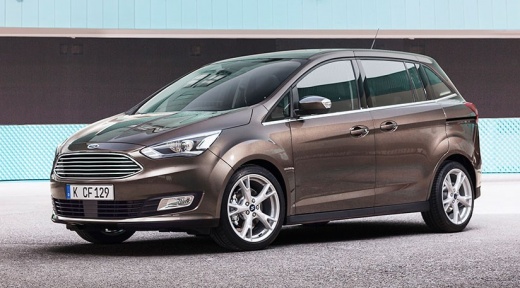
Replacing Wiper Blades on a Ford C-Max
Model: Ford C Max
MK 2
- Years:
2010, 2011, 2012, 2013, 2014, 2015, 2016, 2017, 2018, 2019
Video tutorial
To replace the wiper blades, first position the wipers in service mode to lift the arms without scratching the bonnet: turn on the ignition and command the wipers down using the lever to move them into service position. At this point, press the wiper blade locking tab and slide it off the arm; align and insert the new blade, sliding it until the locking tab clicks into place; repeat the same procedure for the other wiper blade.
Updated on 16 June 2026 by ScegliAuto
Related tutorials
Ford C Max
(2010-2019 /
MK 2)
Replace the damaged wiper blades on a Ford C Max. Take the front wiper blade (to be replaced) with your hands, pull the movable blade as shown in the…

Ford C Max
(2010-2019 /
MK 2)
If the wipers on your Ford C-Max suddenly stop working, first check the status of the respective relays, as shown in this video. The relays are locat…

Ford C Max
(2010-2019 /
MK 2)
Start by inserting the tip of a thin but sturdy tool into the slot on the top side of the key fob for your Ford C-Max, then lever it open. Next, dise…
Other guides you may be interested in |
How to open the boot if it is stuck on a Mercedes B-Class?
On the Mercedes B-Class, the boot may become stuck, possibly due to a problem with the control button or the lock actuator. In this case, perform the emergency opening by following the simple procedure shown in this tutorial. First, unlock the locks with the remote control, then open the rear doors and, by operating the indicated lever, lower the backrest of the seat. Next, go inside the boot, locate the indicated gap, and manually unlock the lock using a small screwdriver. by ScegliAuto More videos
|
|
For advertising on this site Write to info@scegliauto.com
ScegliAuto is not responsible for any inaccuracy of the data in the lists. To report any inaccuracy or your business (if you own the business in question), please write to info@scegliauto.com
Number of seconds to generate the page: 0.010
(c) ScegliAuto 2026 - info@scegliauto.com - Privacy policy VAT number: IT01247470535 |
