
|
Do it yourself
| |||
| ||||


A Simple Method to Reset a Frozen Ford Sync Screen
Model: Ford Ford Various
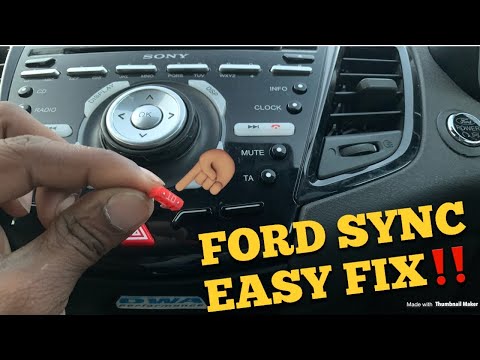
Unfortunately, in today's infotainment systems, it can happen that the screen becomes stuck on a display and cannot be exited without turning off the vehicle. This is not always possible; for example, if you are on a long journey on the motorway, it is highly inadvisable to stop, even in emergency lanes (where permitted), to perform such an operation. However, there is a simple method to reset the Ford Sync infotainment screen, which involves pressing the radio start button and the fast forward button simultaneously, as shown in the video. This will reset the system, allowing you to exit the screen.
Updated on 7 July 2026 by ScegliAuto
Video tutorial
Related tutorials
Ford Ford Various
To reset the Ford car radio Sync, you need to select the settings icon located in the bottom right of the car radio display. A menu will appear where…
Ford Ford Various
In order to perform a reset of the Ford car radio Sync, you need to press the settings icon located at the bottom right of the car radio display: thi…

Ford Ford Various
In our Ford, the SYNC 3 multimedia system may malfunction, such as continuous freezes. In these cases, you can try to resolve the issue by resetting …
Other guides you may be interested in |
How to Replace the Battery on a Honda Vision 110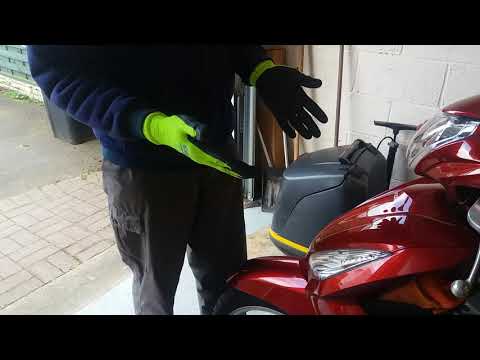
To replace the battery on a Honda Vision 110, you need to remove the front fairing of the motorcycle, located directly under the front headlamp. To loosen this panel, unscrew the two screws found at its top, just below the handlebar. Once these screws are loosened, lever under the panel to detach it, gaining access to the battery underneath: this battery must be removed from its housing by unscrewing the fixing screws and disconnecting the power cables, replacing it with a new one. by ScegliAuto More videos
|
|
For advertising on this site Write to info@scegliauto.com
ScegliAuto is not responsible for any inaccuracy of the data in the lists. To report any inaccuracy or your business (if you own the business in question), please write to info@scegliauto.com
Number of seconds to generate the page: 0.066
(c) ScegliAuto 2026 - info@scegliauto.com - Privacy policy VAT number: IT01247470535 |
