
|
Do it yourself
| |||
| ||||


How to disable the alarm sensors of the Ford Mondeo.
Model: Ford Mondeo / Fusion
MK 3
- Years 2007-2014
In this video tutorial, we will see the steps on how to disable the internal sensors of the Ford Mondeo's anti-theft system, following the instructions below. First, we get into the car and start the dashboard; then we go to the onboard computer settings and then to the alarm section, as shown in the video. At this point, we proceed to disable all the alarms, confirming the choice; we then turn off the dashboard and turn it back on, pressing the ok button to permanently disable all the internal sensors of the anti-theft system!
Posted on 27 September 2023 by ScegliAuto
Video tutorial
Related tutorials
Ford Mondeo / Fusion
(2000-2007 /
MK 2)
Do you want to install parking sensors on your vehicle yourself? Watch this video to learn how to properly install parking sensors on a Ford Mondeo. …

Ford Mondeo / Fusion
(2014-2021 /
MK 4)
Today's instructions will guide us through resetting the tire pressure warning light on the Ford Mondeo. Before carrying out the reset of the TPMS se…
Ford Mondeo / Fusion
(2014-2021 /
MK 4)
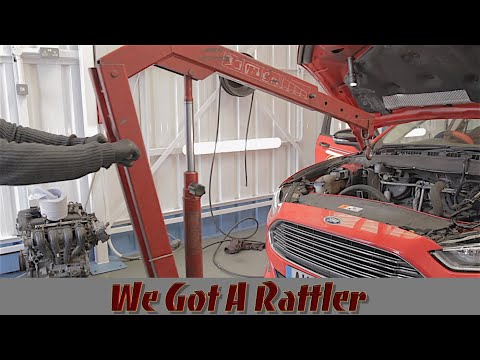
In order to remove the Ford Mondeo engine, you need to go and open the bonnet, so that you can disconnect all the relative sensors connectors located…
Other guides you may be interested in
|
How to Install an Additional Horn on a Fiat Punto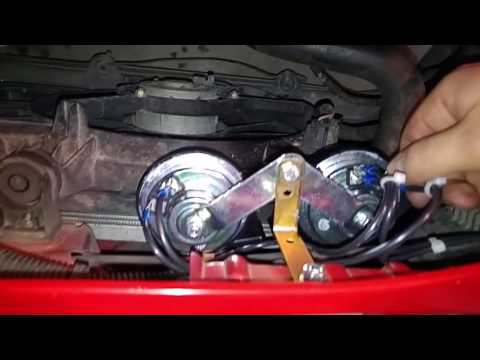
It may happen that the original horn starts to produce a sound that is noticeably underwhelming; at this point, you can decide to install a pair of sounders connected in parallel with the original one to achieve a more assertive sound. The installation is very easy, but it is important to direct the sound output towards an air intake, so you need to shape a support bracket to fix it to the slam panel with a single bolt. Once secured, take the positive power from the fuse box using a 2.5 mm² cable, tapping into the purple wire directly under the relay while connecting the ground directly to the negative terminal of the battery. by ScegliAuto More videos
|
|
For advertising on this site Write to info@scegliauto.com
ScegliAuto is not responsible for any inaccuracy of the data in the lists. To report any inaccuracy or your business (if you own the business in question), please write to info@scegliauto.com
Number of seconds to generate the page: 0.058
(c) ScegliAuto 2026 - info@scegliauto.com - Privacy policy VAT number: IT01247470535 |
