
|
Do it yourself
| |||
| ||||


Instructions for Replacing Brake Pads
Model: Ford Fiesta
MK V, MK 5, Fiesta 5
- Years:
2002, 2003, 2004, 2005, 2006, 2007, 2008
Video tutorial
To replace the brake pads, start by lifting the vehicle and removing the front wheel; then detach the side spring applied to the caliper and remove the protective caps applied to the fixing pin seats of the caliper to the support; unscrew the pins to remove the caliper from the support and, before extracting the pad from the cylinder, use a C-clamp to fully retract it; then brush the sliding seat of the pads on the respective support, apply copper grease, insert the new pads, the caliper, tighten the fixing pins, apply the caps and the outer spring.
Updated on 20 February 2026 by ScegliAuto
Related tutorials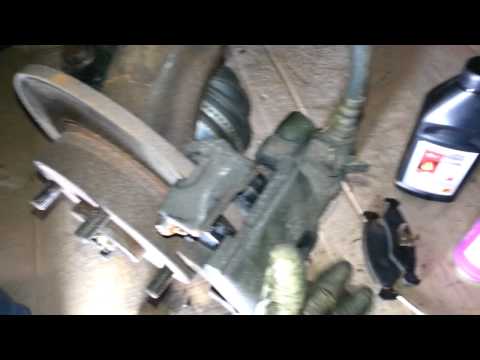
Ford Fiesta
(2002-2008 /
MK V, MK 5, Fiesta 5)
The following guide shows a simple method for replacing your car's brake pads, requiring a bit of patience and time, without needing to take the car …

Ford Fiesta
(2002-2008 /
MK V, MK 5, Fiesta 5)
Today we will see the process of how to disassemble and replace the front brake pads of the Ford Fiesta. First, we lift the car and remove the front …

Ford Fiesta
(2008-2017 /
Fiesta 6, MK VI, MK 6)
On some occasions, it is possible to adjust the handbrake of the Ford Fiesta from the rear brake shoes, after making the main adjustment from the cen…
Other guides you may be interested in
|
How to Remove the Toll Tag Holder from the Car Windscreen
The toll tag holder is usually attached to the car windscreen to ensure that the toll tag functions immediately when passing through barriers. However, if you decide to remove the holder, you should follow this procedure: - Insert the toll tag into the holder; - Pull the holder inwards to detach it from the windscreen; you can use a glass scraper or a stiff plastic card to assist you; After removing the holder, it is essential to remove the adhesive from the windscreen. To remove the adhesive, we recommend using a solvent-based spray that will remove the glue without clouding the area. by ScegliAuto More videos
|
|
For advertising on this site Write to info@scegliauto.com
ScegliAuto is not responsible for any inaccuracy of the data in the lists. To report any inaccuracy or your business (if you own the business in question), please write to info@scegliauto.com
Number of seconds to generate the page: 0.048
(c) ScegliAuto 2026 - info@scegliauto.com - Privacy policy VAT number: IT01247470535 |
