
|
Do it yourself
| |||
| ||||


How to Use the Radio on Ford Ka MK2
Model: Ford Ka
MK 2
- Years 2008-2016
In this video, we will see how to use the radio on the Ford Ka+ MK2: On the left side, there are the volume buttons, above is the CD insertion button, and next to it is the eject button; at the bottom of the central console, there is an Aux-in socket to listen to music from various devices. With the "audio" button on the right, you can adjust the bass, and with the joystick below, you can adjust the equaliser to balance the sound front or rear with the fader, or left or right with the balance: Treble adjusts the highs. To access the main menu, press "menu"; TA is for traffic alerts, and "reg" is to stay tuned to regional frequencies. If playing from MP3, choose what you want to know, such as the artist, title, and more; external noise evaluation, storing 6 stations for each band. You can also mute the radio by pressing the "mute" button.
Updated on 1 September 2026 by ScegliAuto
Video tutorial
Related tutorials
Ford Ka
(1996-2008 /
MK 1)
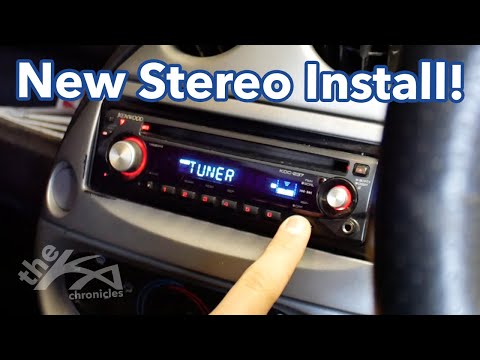
The information provided in this guide will show us how to disassemble and remove the original radio of the Ford KA, in simple steps. First, we get o…
Ford Ka
(1996-2008 /
MK 1)
To replace the radio in the Ford Ka, use a lever tool to detach the cover surrounding the radio, allowing it to be pulled out from its housing after …
Ford Ka
(2008-2016 /
MK 2)
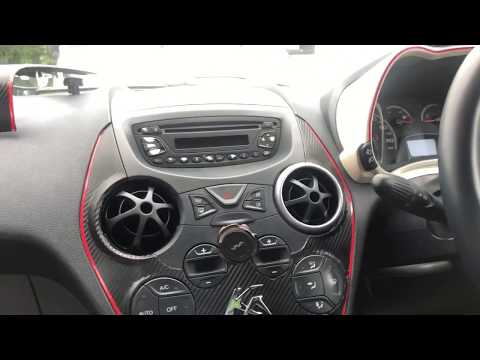
In this video tutorial, you will learn how to remove the original radio and the centre console of a second-generation Ford Ka. First, get into the ve…
Other guides you may be interested in |
How to Open a Stuck Boot on the Peugeot 407?
On the Peugeot 407, the boot may become stuck, possibly due to a problem with the control button or the lock actuator. In such cases, you can perform an emergency opening by following the simple procedure shown in this tutorial. First, open the rear doors, then lower the seat back by operating the release lever. Next, go inside the boot, locate the lock, and manually operate it using a flathead screwdriver. The boot will then be free to open. by ScegliAuto More videos
|
|
For advertising on this site Write to info@scegliauto.com
ScegliAuto is not responsible for any inaccuracy of the data in the lists. To report any inaccuracy or your business (if you own the business in question), please write to info@scegliauto.com
Number of seconds to generate the page: 0.094
(c) ScegliAuto 2026 - info@scegliauto.com - Privacy policy VAT number: IT01247470535 |
