
|
Do it yourself
| |||
| ||||


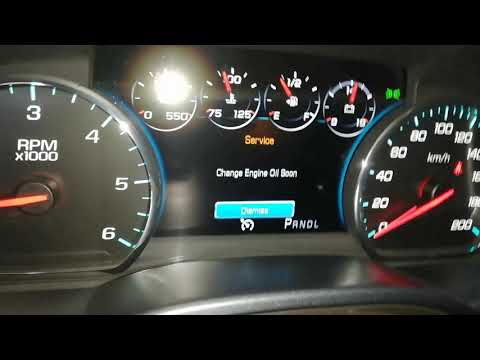
How to reset the oil light on GMC Sierra 2016
Model: GMC Sierra
MK 4
- Years 2014-2018
If when you turn on your 2016 GMC Sierra you notice the engine oil light staying on despite having already changed the fluid and filter then all you have to do is implement the following steps to manually reset the light. Go inside the passenger compartment and turn on the instrument panel (do not start the engine). Immediately afterwards navigate within the on-board menu until you find the item relating to the residual life of the oil. Now press the right arrow button and select the "Reset" option. Confirm the operation and you are done.
Posted on 22 October 2022 by ScegliAuto
Video tutorial
Related tutorials
GMC Sierra
(2007-2014 /
MK 3)
The necessary procedure to manually reset the oil change alarm light on your 2011 GMC Sierra is quite simple, and below you will find all the necessa…

GMC Sierra
(2014-2018 /
MK 4)
To manually reset the oil light on your 2018 GMC Sierra fourth series, simply follow the guide below. First, enter the vehicle and turn on the instru…
GMC Sierra
(2014-2018 /
MK 4)
In this new mini guide we will explain in a detailed and simple way how to reset the oil change light in your 2017 GMC Sierra. This is a standard pro…
Other guides you may be interested in
|
How to Replace the Timing Belt on a Peugeot 206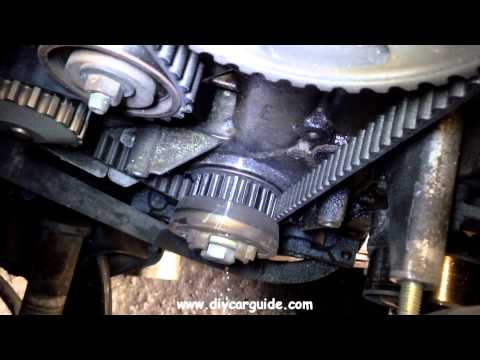
First, release the bonnet from the lever and lift it. Access to the belt is easier from the front right wheel, so remove it. Now disconnect the battery cables. Once the wheel is completely removed, you will also need to remove the brake to work from underneath your vehicle. Unscrew the tensioner and the lower pulley cover, allowing you to comfortably extract the new belt in position. Now simply retrace the steps described above to reassemble the various components. by ScegliAuto More videos
|
|
For advertising on this site Write to info@scegliauto.com
ScegliAuto is not responsible for any inaccuracy of the data in the lists. To report any inaccuracy or your business (if you own the business in question), please write to info@scegliauto.com
Number of seconds to generate the page: 0.077
(c) ScegliAuto 2026 - info@scegliauto.com - Privacy policy VAT number: IT01247470535 |
