
|
Do it yourself
| |||
| ||||


How to Reset the Oil Light on a 2012 GMC Terrain
Model: GMC Terrain
MK 1
- Years:
2010, 2011, 2012, 2013, 2014, 2015, 2016, 2017
Video tutorial
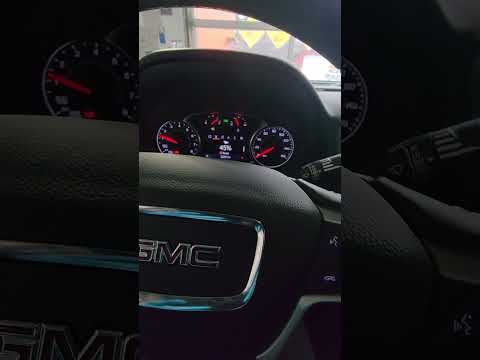
In this new mini guide for all of you who own a first-generation GMC Terrain (2012), follow these steps to manually reset the engine oil light. First, get inside the vehicle and turn on the instrument cluster in diagnostic mode. To do this, press the ignition button twice in quick succession. Then, move to the center button panel and press the menu button multiple times until the screen showing the oil life is displayed. Finally, press the "Set/CLR" button and confirm the reset of the light.
Updated on 14 August 2026 by ScegliAuto
Related tutorials
GMC Terrain
(2010-2017 /
MK 1)
To manually reset the oil pressure light on your first generation GMC Terrain (2015), you must follow the simple procedure described in this new mini…

GMC Terrain
(2018-2025 /
MK 2)
In the following guide you will find the description of the procedure you need to follow in order to manually reset the oil light of your GMC Terrain…
GMC Terrain
(2018-2025 /
MK 2)
In this video tutorial, you will see how to reset the oil life in a 2020 GMC Terrain. Before resetting the oil life in a GMC Terrain, perform vehicle…
Other guides you may be interested in
|
How to Open the Bonnet of the Toyota C-HR?
In this tutorial, you will learn how to open the bonnet of the Toyota C-HR, a very simple operation that follows the typical procedure for most vehicles. First, unlock the catches using the remote button, then open the driver's door, locate the lever in the lower left area of the dashboard, and pull it. Next, move to the front of the vehicle, locate the second lever, push it to the left, and simultaneously lift the bonnet. To close it, simply let it drop gently. by ScegliAuto More videos
|
|
For advertising on this site Write to info@scegliauto.com
ScegliAuto is not responsible for any inaccuracy of the data in the lists. To report any inaccuracy or your business (if you own the business in question), please write to info@scegliauto.com
Number of seconds to generate the page: 0.051
(c) ScegliAuto 2026 - info@scegliauto.com - Privacy policy VAT number: IT01247470535 |
