
|
Do it yourself
| |||
| ||||


Instructions for Replacing the Brake Pump
Model: Honda Civic
MK 6
- Years 1995-2001
Once you have opened the bonnet and ensured it is securely supported: the brake pump is located at the rear right of the compartment (when viewed from the front) and is identifiable by the presence of the oil reservoir. Unscrew the pipe connections attached to the pump (one at the top and the other on the side) and the mounting nuts of the pump itself located at the front; disconnect the connector linked to the float of the reservoir and remove the entire system. It is also possible to perform a bench test of the pump. Then, fit the new pump to the frame and connect the relevant pipes. Fill the reservoir with the appropriate oil and connect the float wires.
Updated on 4 February 2026 by ScegliAuto
Video tutorial
Related tutorials
Honda Civic
(2006-2012 /
MK 8)
This guide outlines the procedure to remove and replace the fuel pump on a Honda Civic in simple and quick steps. First, access the rear of the vehic…
Honda Civic
(1995-2001 /
MK 6)
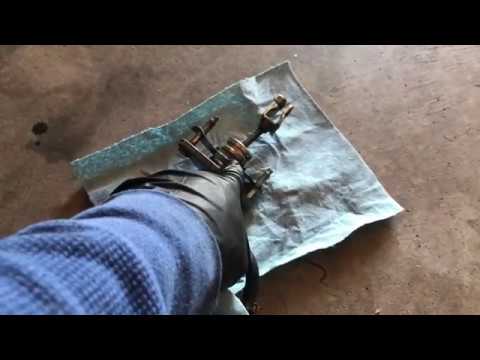
Open the front bonnet and ensure it is securely supported; at the rear right of the engine bay (when viewed from the front), you can locate the clutc…
Honda Civic
(1995-2001 /
MK 6)
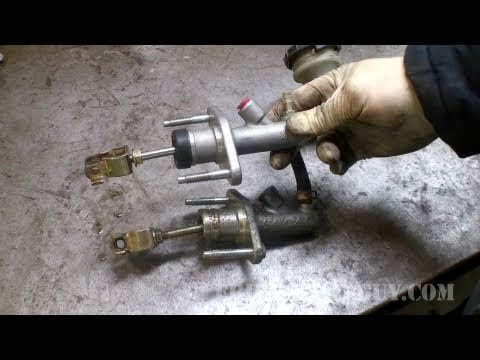
In this guide, remove and replace the clutch pump or master cylinder on your Honda Civic. First, open the bonnet of your car and start by removing th…
Other guides you may be interested in
|
How to Open the Bonnet on the Lancia Y
To open the bonnet on this vehicle, follow these simple instructions: first, open the driver's door and locate the lever positioned just below the dashboard, marked with an image of the vehicle with the bonnet open. Pull this lever towards you until you hear a "click" indicating the bonnet is released. Next, exit the cabin and stand in front of the bonnet to disengage the safety catch and complete the opening. To do this, slightly lift the bonnet, locate the yellow lever underneath, and pull it to the left to fully release and open the bonnet. by ScegliAuto More videos
|
|
For advertising on this site Write to info@scegliauto.com
ScegliAuto is not responsible for any inaccuracy of the data in the lists. To report any inaccuracy or your business (if you own the business in question), please write to info@scegliauto.com
Number of seconds to generate the page: 0.488
(c) ScegliAuto 2026 - info@scegliauto.com - Privacy policy VAT number: IT01247470535 |
